
Over the past two years, the term “zoom bombing” became prevalent in discussions about our remote work experience. Zoom bombing means a situation where unauthorized individuals gain access to a virtual meeting and cause disruption. To deal with this very disruptive practice, IT@UC made changes to the Faculty One Stop and Compliance Training systems in effect from Monday 02/21/2022.
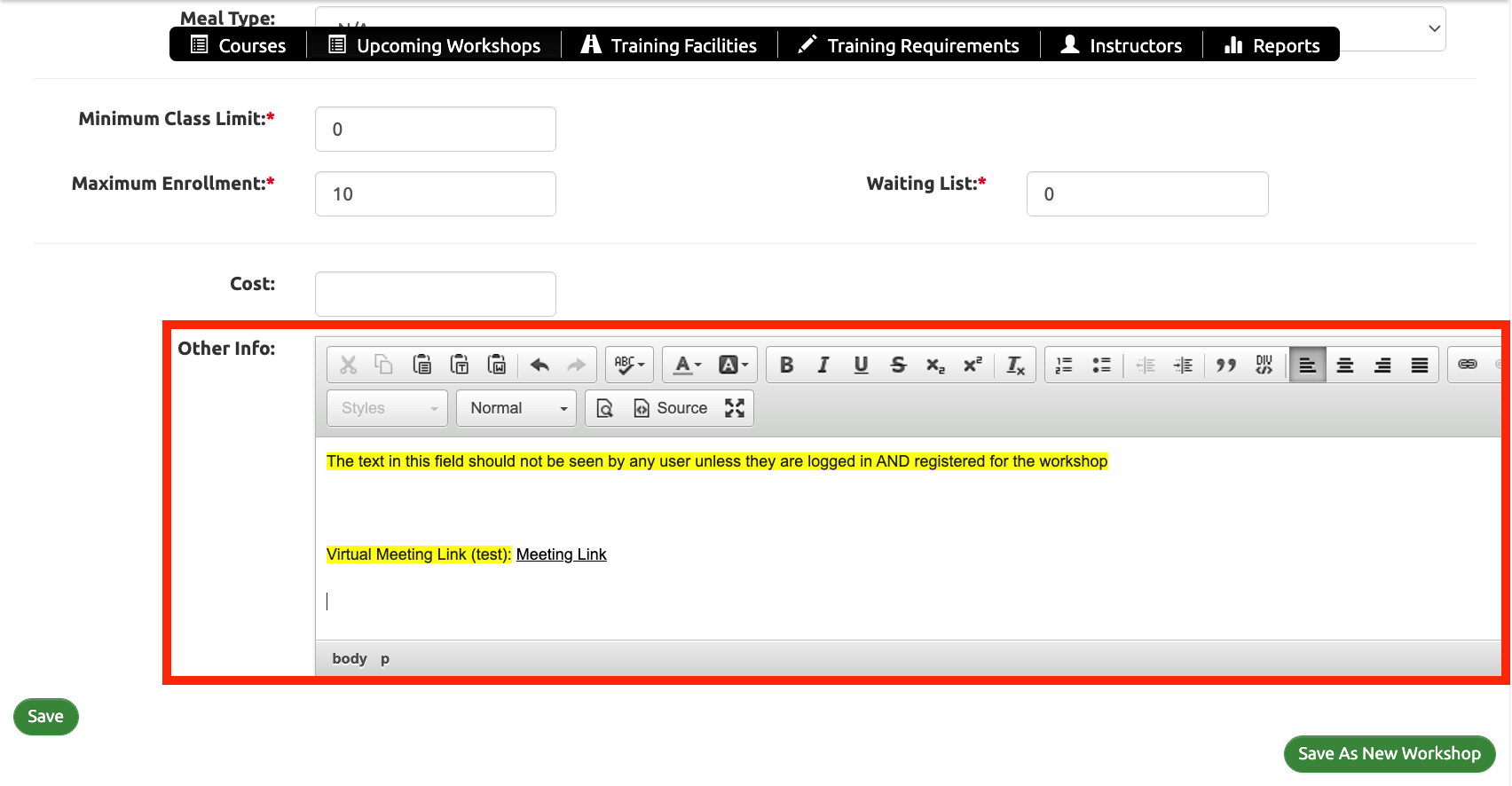
Moving forward, meeting links will not display on the main information page for workshops. Instructors should enter the meeting URL in the “other information” section and only those individuals logged in and who register for a workshop will be able to see this section in the workshop description. This will help ensure that only UC credential holders and individuals who had an account created for them will have access to this information after registration.
For instructors – where to enter this information
For workshop registrants – where to find this information.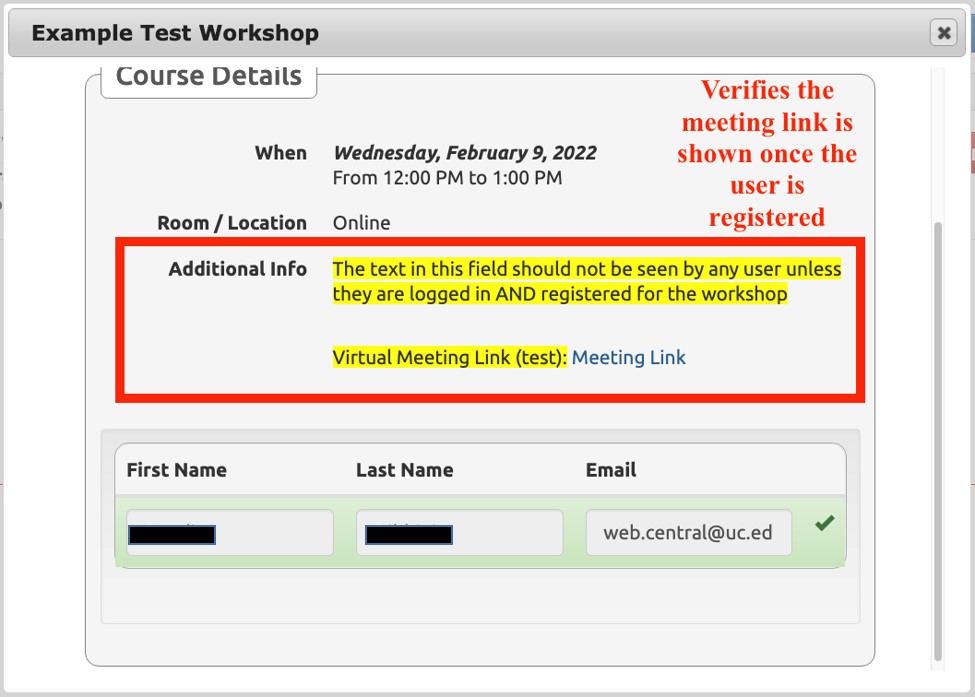
For technical support with Faculty One Stop, please call 513-558-2101 or email web.central@uc.edu