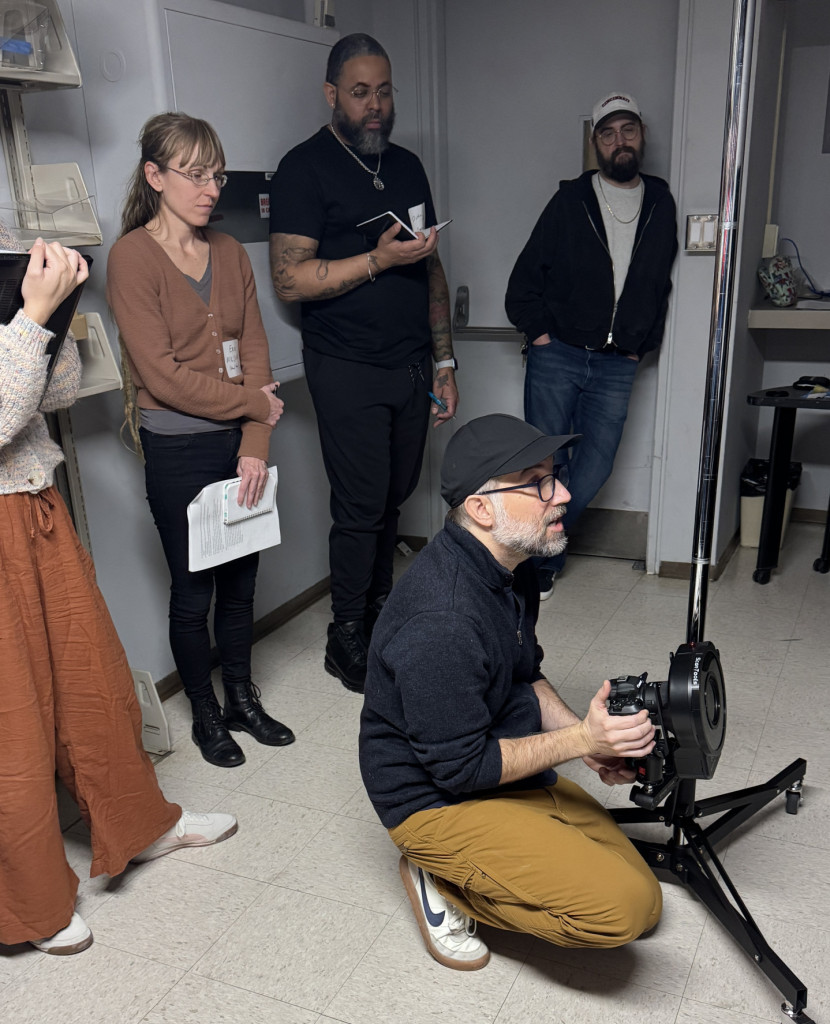
This past December, the Lab hosted a small 3D Imaging workshop for a group of digital imaging colleagues. The workshop was led by UC School of Art professors, Jordan Tate and John-David Richardson. Colleagues from Ohio University Libraries, the Ohio State University Libraries, Library of Michigan, Veterans Affairs History Office in Dayton and UC Libraries were able to join us for this amazing opportunity to learn practical, high-resolution 3D imaging techniques using a simple setup.
Jordan demonstrating to the group how to set up a low-angle shot.
Prior to the workshop, I had worked with UC Libraries special collections curators to attain a selection of various objects for imaging ranging from cuneiform tablets to plaster busts. For the workshop, we began with a painted wooden Nigerian statue from the Winkler Center. We walked through the imaging process first, using a fairly standard DSLR manual setup and a ring flash with a polarized filter. The object was placed on a motorized turn-table which allows you to determine how many rotations or shots you want per angle.
Yoruba statue, from the Winkler Center, being photographed on the motorized turntable.
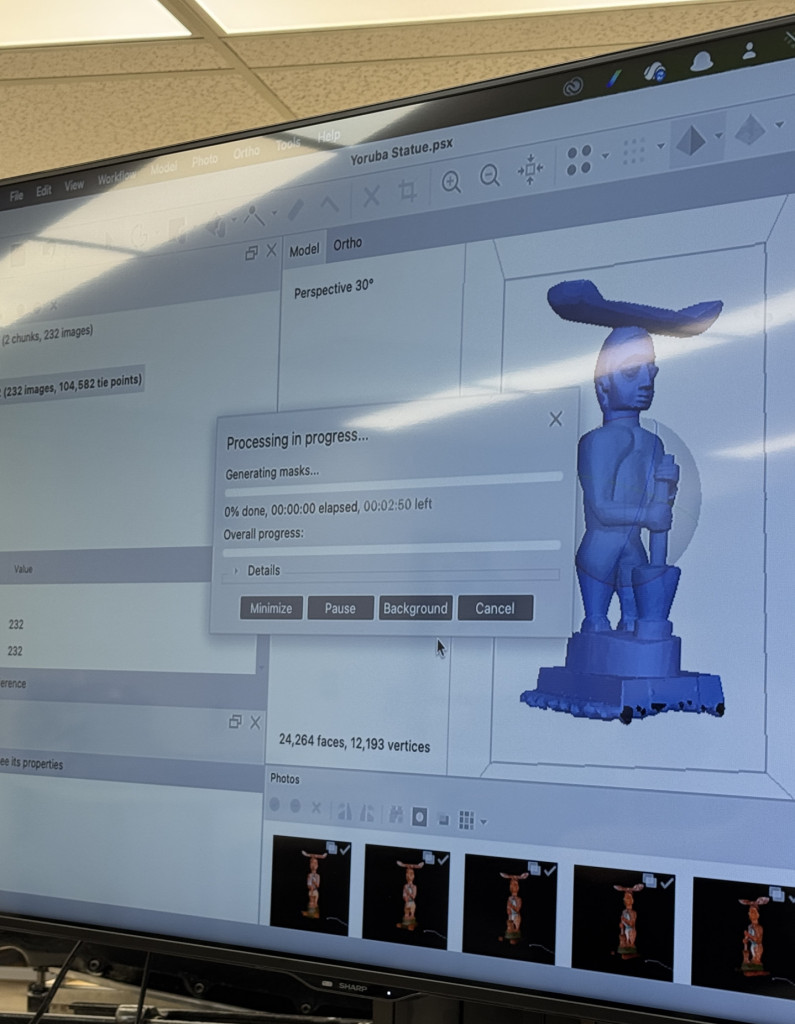
Once all the images were captured, we moved onto the processing portion, using Agisoft Metashape Professional Educational edition.
The model of the Yoruba statue being processed in Agisoft Metashape software.
After lunch we ran through another imaging and processing session, to reinforce what we had learned in the morning. Overall the day was incredibly successful and I am beyond grateful to Jordan and John-David for sharing their time, knowledge and passion for 3D imaging with the group. They truly made the imaging capture and processing experience fun and attainable!
Following the workshop, fellow Assistant Conservator, Catarina, and I were able to get some 3D imaging practice in; using what we had learned in the workshop and putting it into action. This was made possible by two very important factors: first, Jordan had graciously loaned us his equipment to use before the ’26 Spring semester began, including his polarized flash ring, and second, we had a couple of slower days, following our special collections returns and prior to winter break, which afforded both Catarina and I this time to learn and hone this new technique.
The combat medic statue from the Winkler Center being photographed.
In the end, Catarina and I ended up imaging three additional objects, including a Gothic manuscript from the Archives and Rare Books Library, a plaster bust of Antoine Lavoisier from the Oesper Collection, and a combat medic statue from the Winker Center.
Again, thanks to Jordan’s immense generosity, he has hosted the 3D models of the objects we captured on his site, so that they can be shared more broadly with a wider audience. If you can click on the links below (whether with computer, phone or tablet) you can view and manipulate the 3D models of each object, as well as read more about the object:
Again, a huge thank you to Jordan and John-David for their eagerness to share their knowledge during the workshop, and to Jordan for his ongoing generosity and collegiality. And, as always, thank you to our curators for supplying us with an array of objects for the workshop, and to our department head, Holly Prochaska, for her perennial support and advocacy.
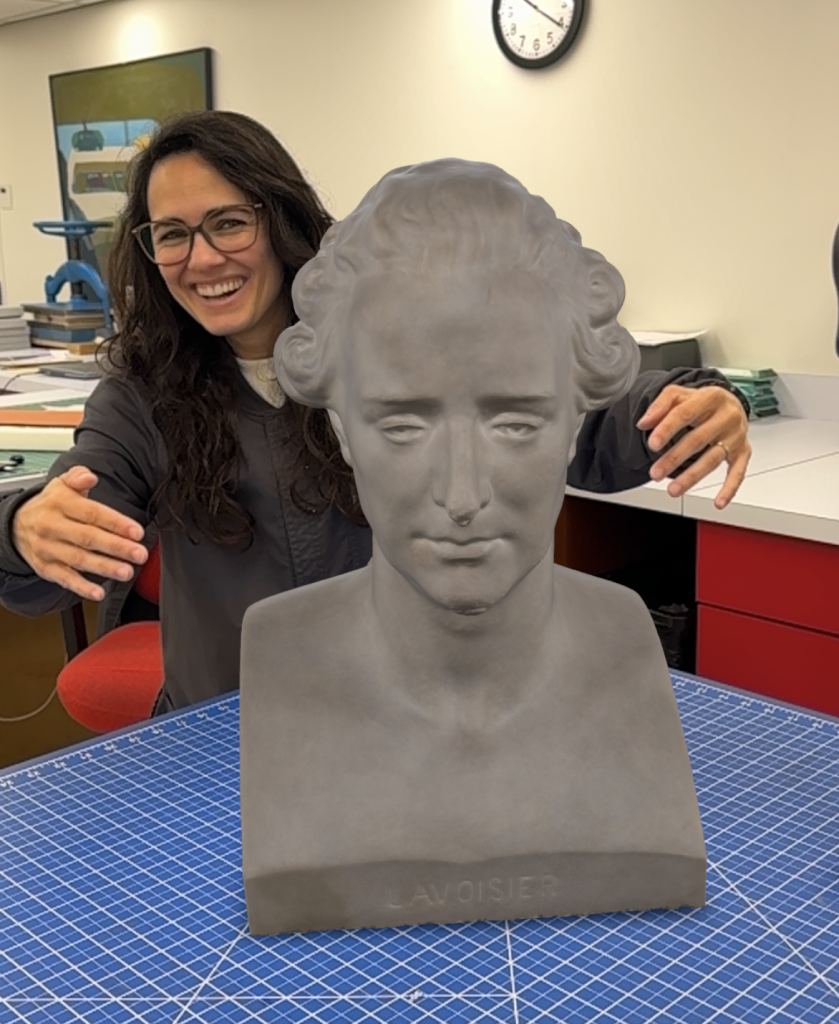
Catarina attempting to hug the Lavoisier bust model. This model is being projected from an iPhone, allowing it to be “placed” on the table.
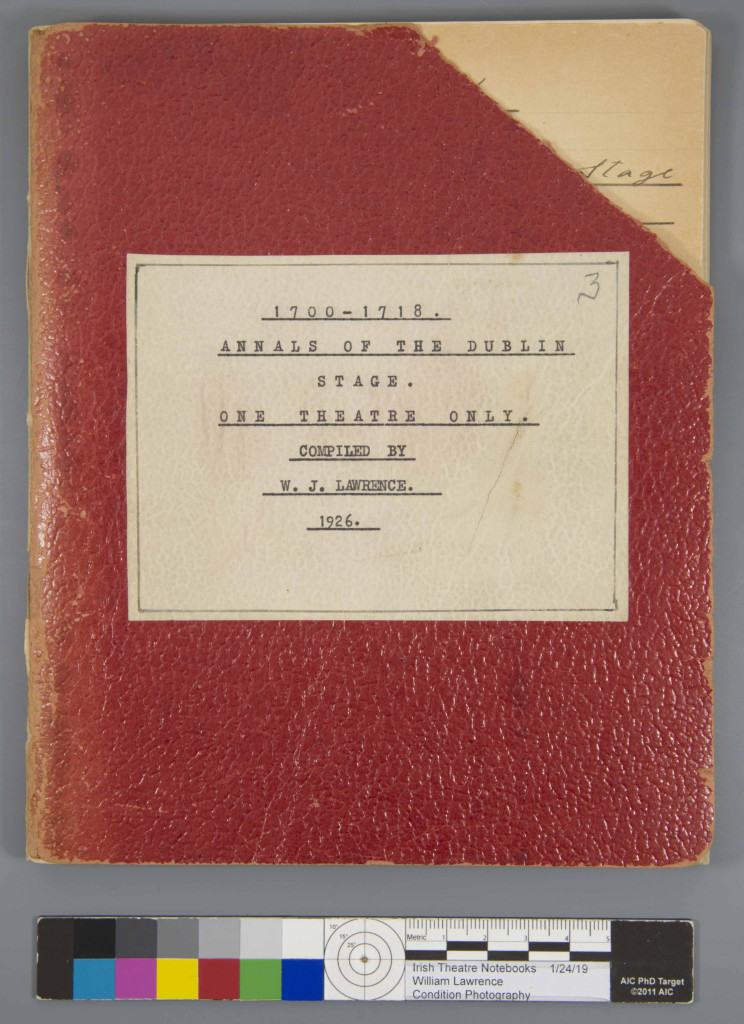
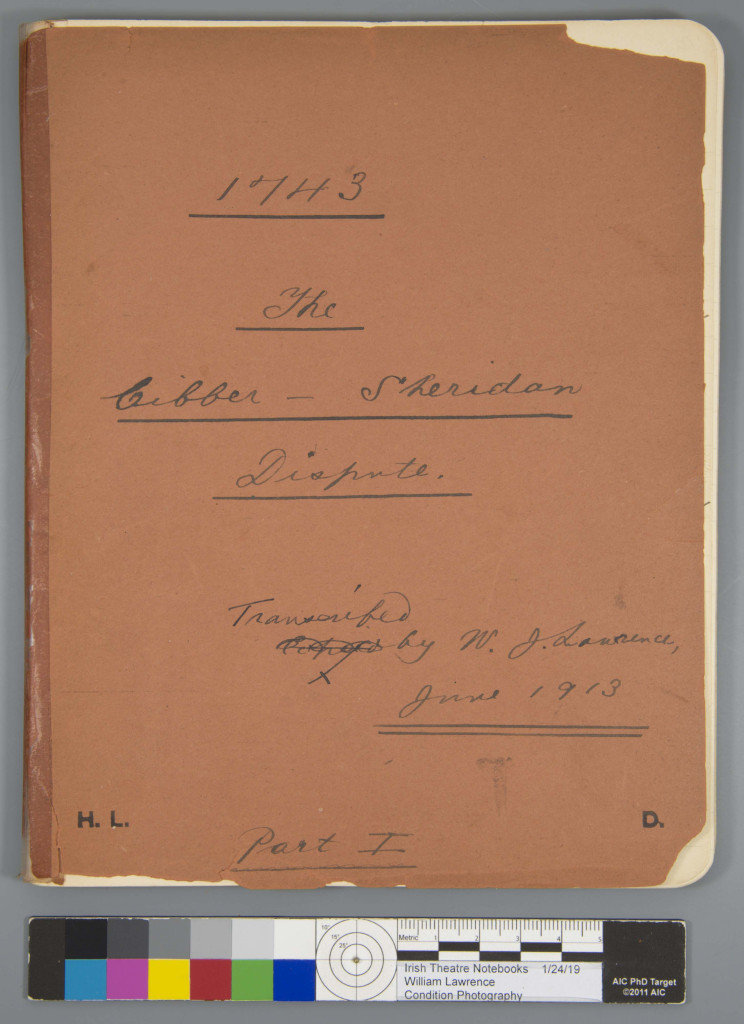
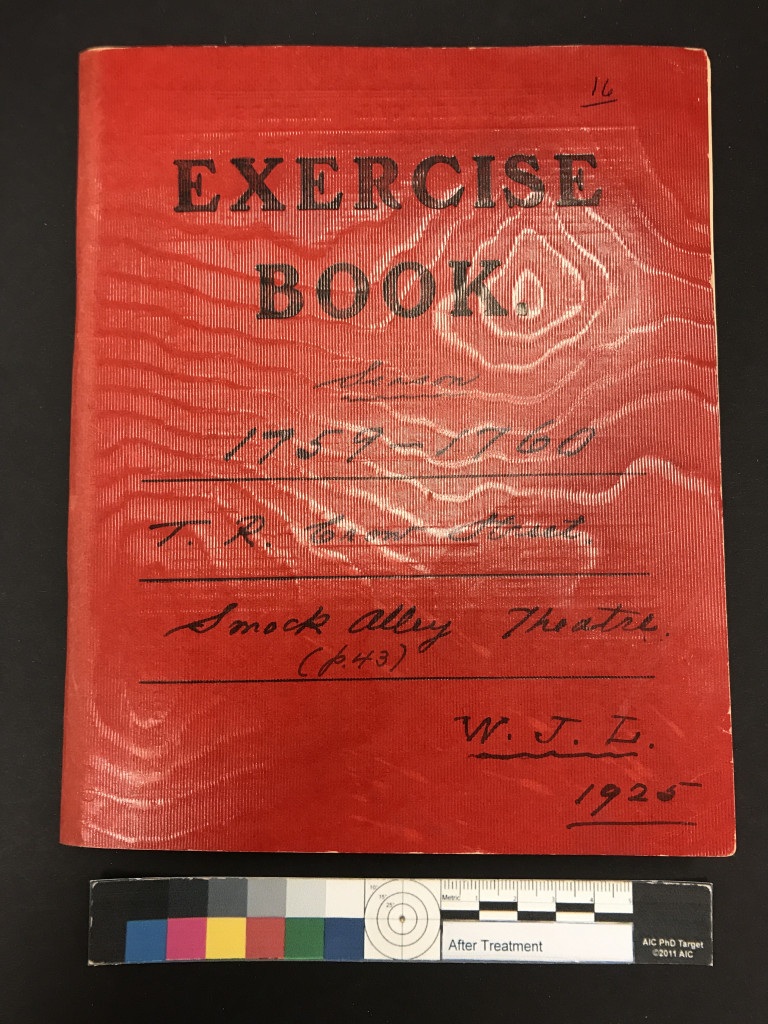
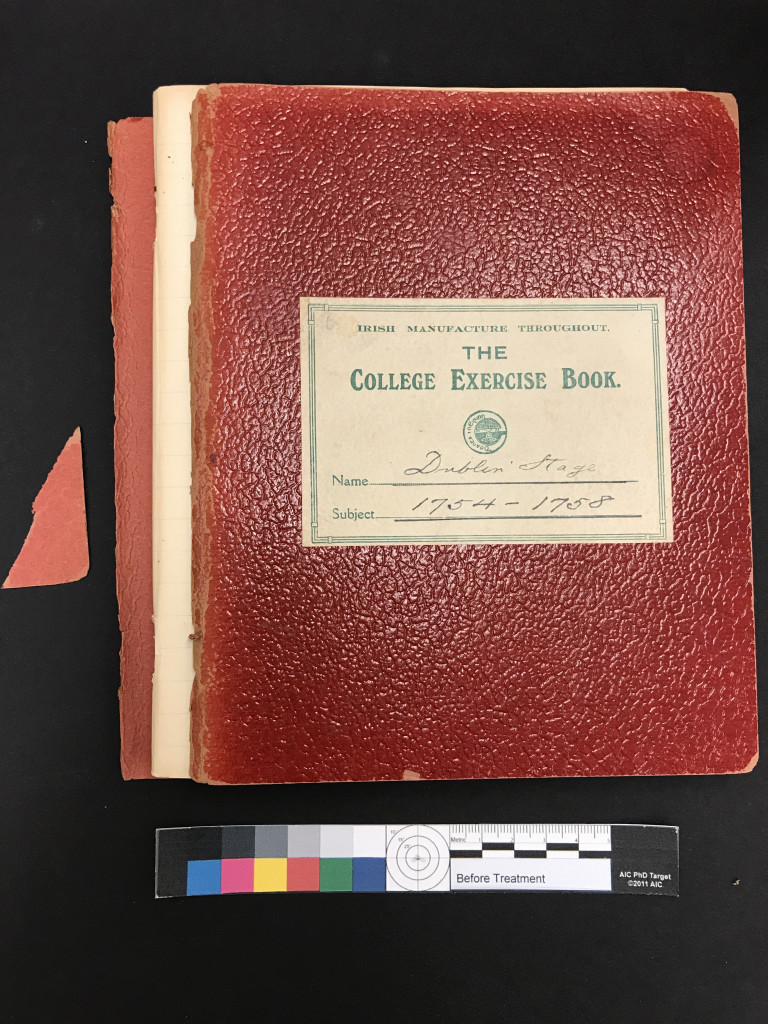
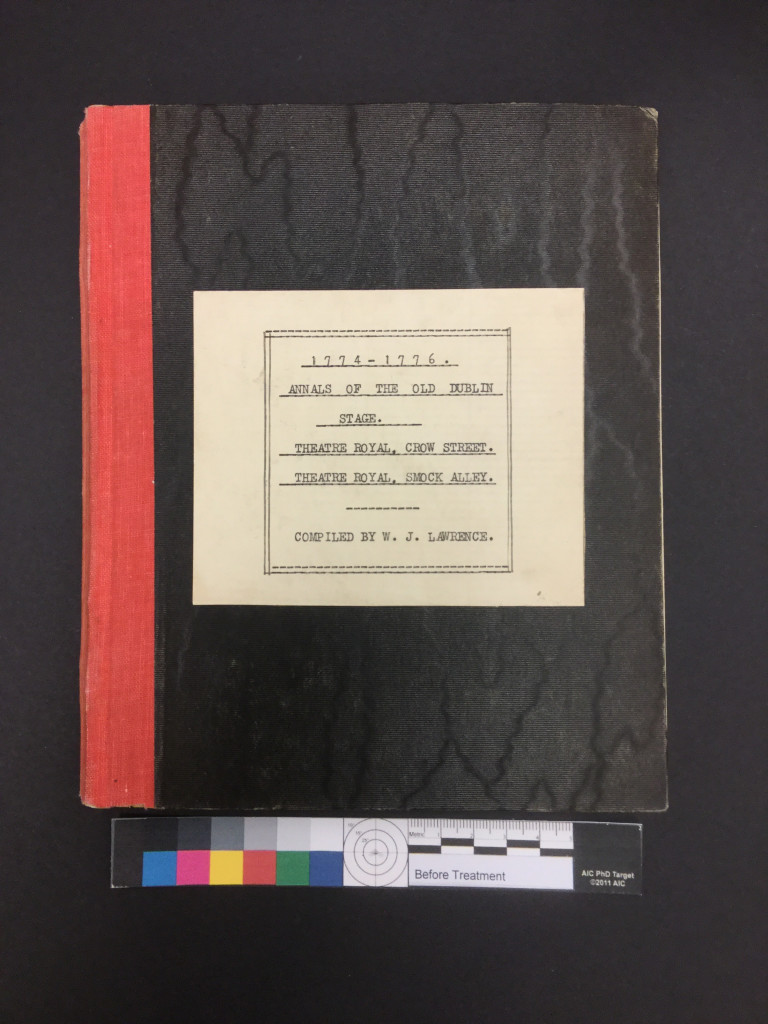
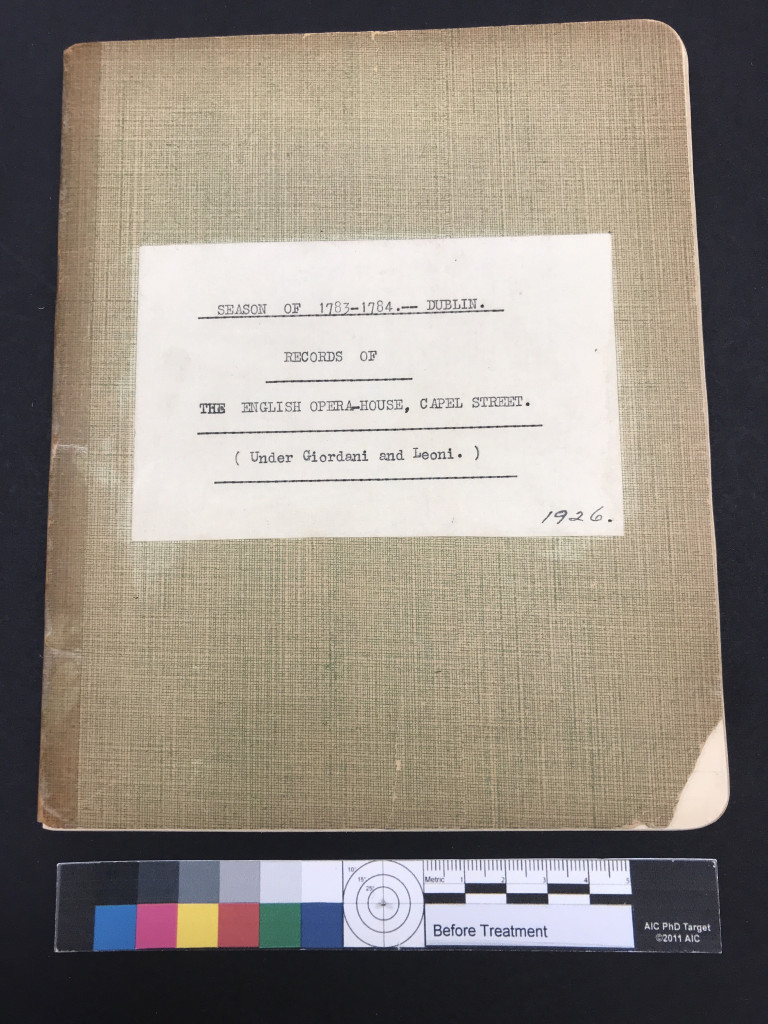
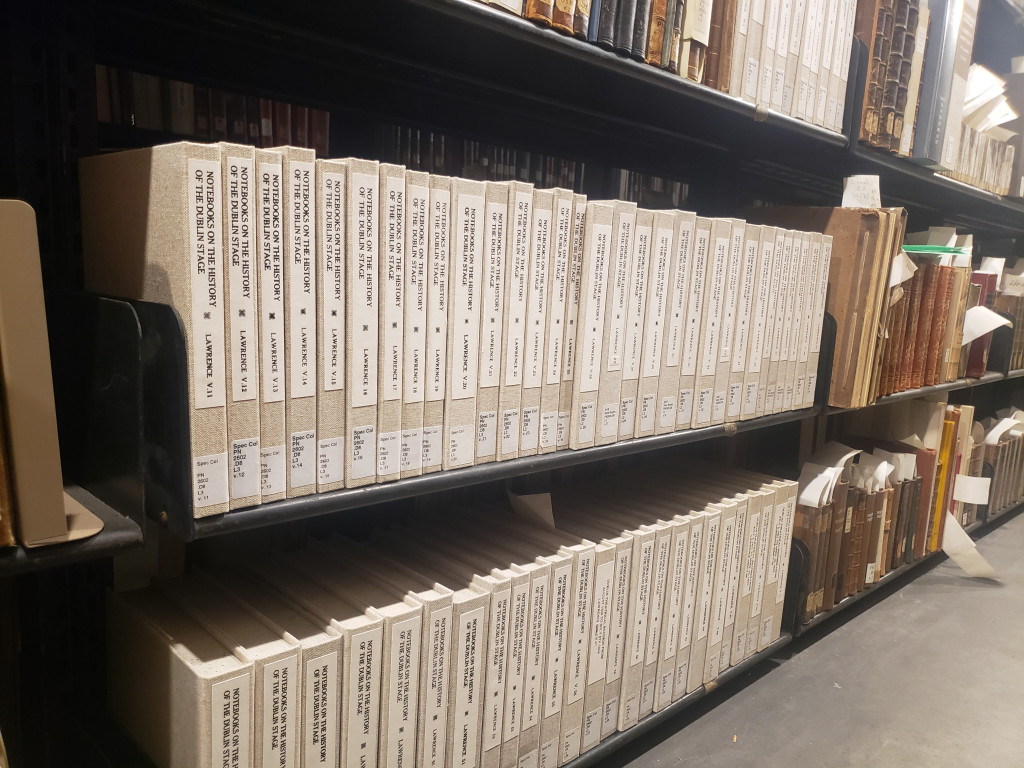
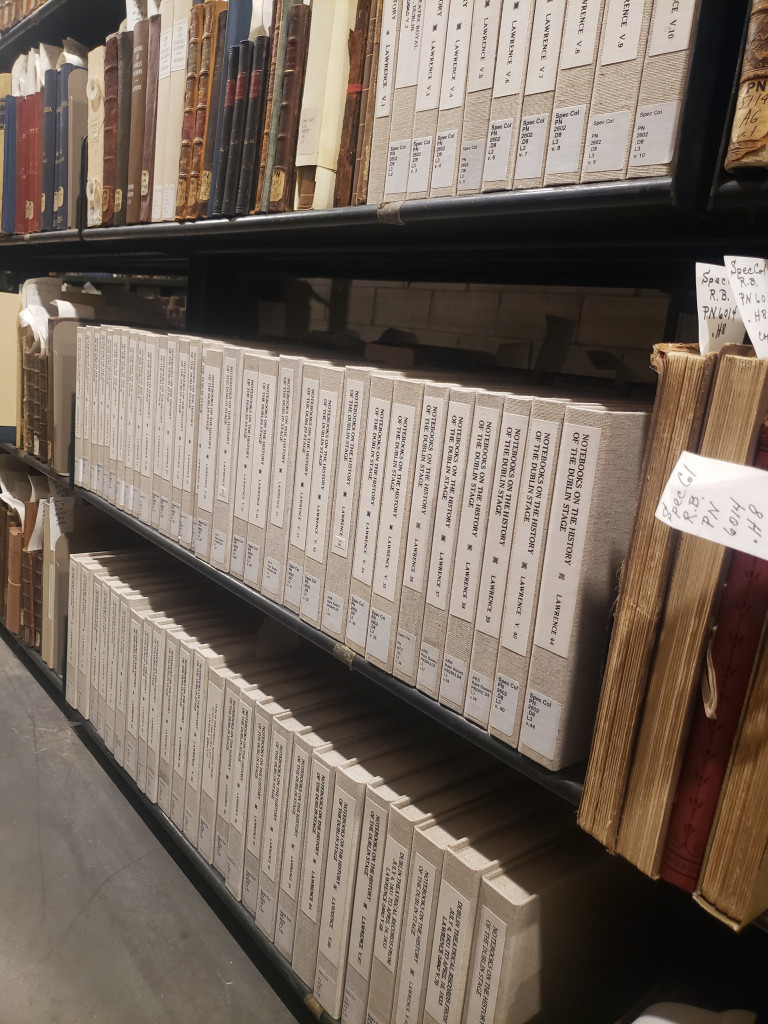
For the past few years, I have been working on the conservation treatment of the Lawrence Notebooks, a remarkable collection of 99 handwritten volumes created by William J. Lawrence that document his extensive research on the Irish stage from 1630 to 1911. Over many years, Lawrence filled these small, lined notebooks with careful handwriting, news clippings, photographs of actors, typed play transcriptions, and detailed notes on theaters, performances, ticket prices, and even personal anecdotes. Together, the notebooks offer a rich and vivid window into the history of Irish theater and the cultural life of Dublin from the seventeenth through the early twentieth centuries.
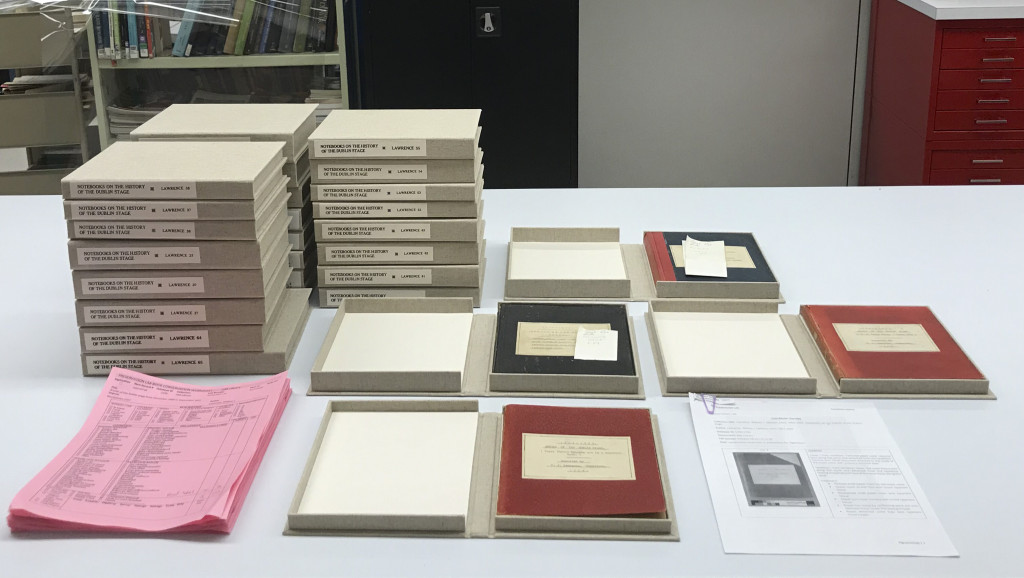
In 2021, we had already completed 37 of the 99 volumes, and we still have 62 volumes in the Lab.
This project was a collaborative effort and was completed gradually over several years, with individual volumes treated alongside other conservation projects rather than all at once. Our former colleague Chris Voynovich created custom cloth-covered clamshell enclosures for all 99 volumes, while I was responsible for the evaluation and conservation treatment of the notebooks themselves.
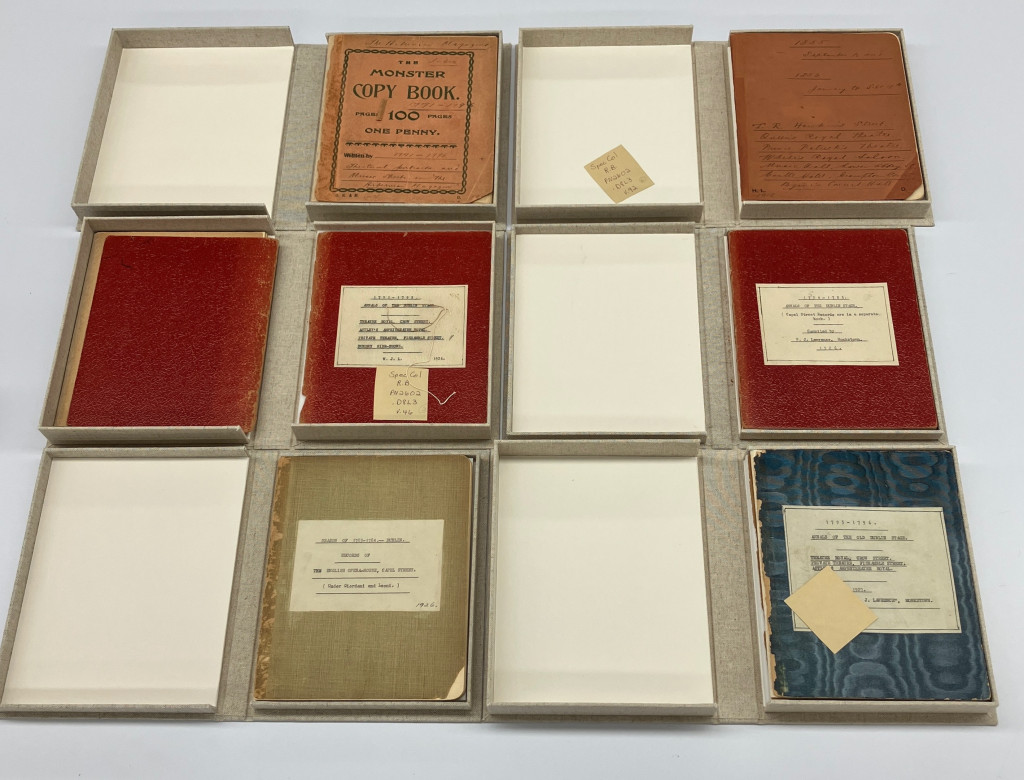
Although the Lawrence Notebooks shared a broadly similar format, closer examination revealed subtle but meaningful variations in both their covers and text blocks. Most volumes were small, square notebooks with thin boards covered in cloth or paper covers, in a range of muted colors including red, orange, green, blue, and black. The text blocks were generally composed of one or several gatherings sewn through the fold, with the primary support most often being lined paper.
Variations in cover materials and colors across the Lawrence Notebooks.
Once all the volumes were received in the lab, each notebook was evaluated for its condition and assigned to one of three categories: good (no treatment required), fair (requiring stabilization), or poor (requiring more extensive treatment). The notebooks showed clear signs of long-term handling and use. Many volumes had weakened or detached covers, some of which had been previously repaired with pressure-sensitive tape. Other common condition issues included broken sewing, tears along the spine folds of the text block pages, and brittle newspaper clippings that had also been repaired with pressure-sensitive tape.
Condition evaluation of the Lawrence Notebooks prior to treatment.
When determining the most appropriate conservation treatment for each volume, it was also important to consider their future digitization. Treatments were selected to stabilize the notebooks while ensuring they could be safely opened, handled, and imaged without placing additional stress on the original materials.
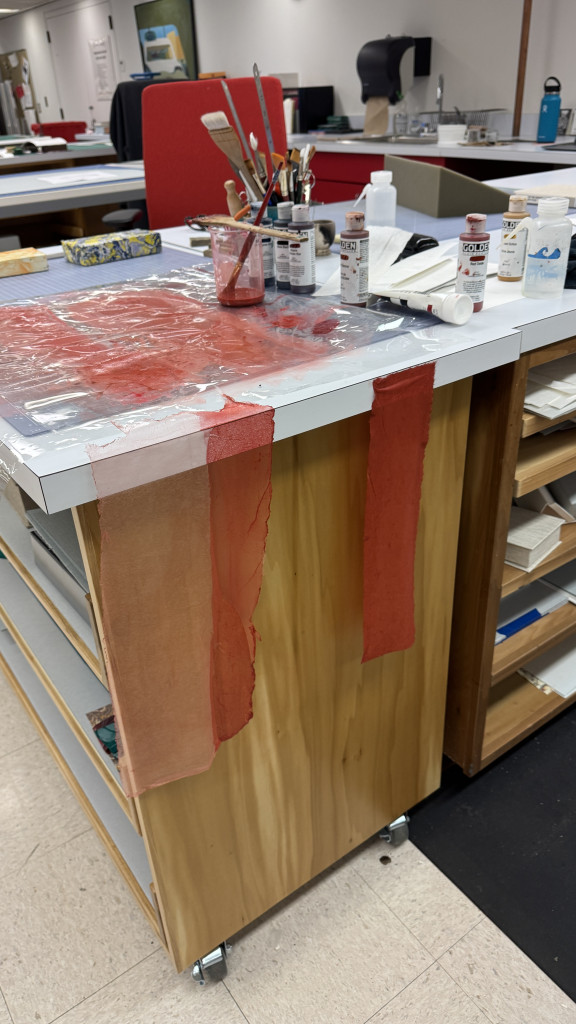
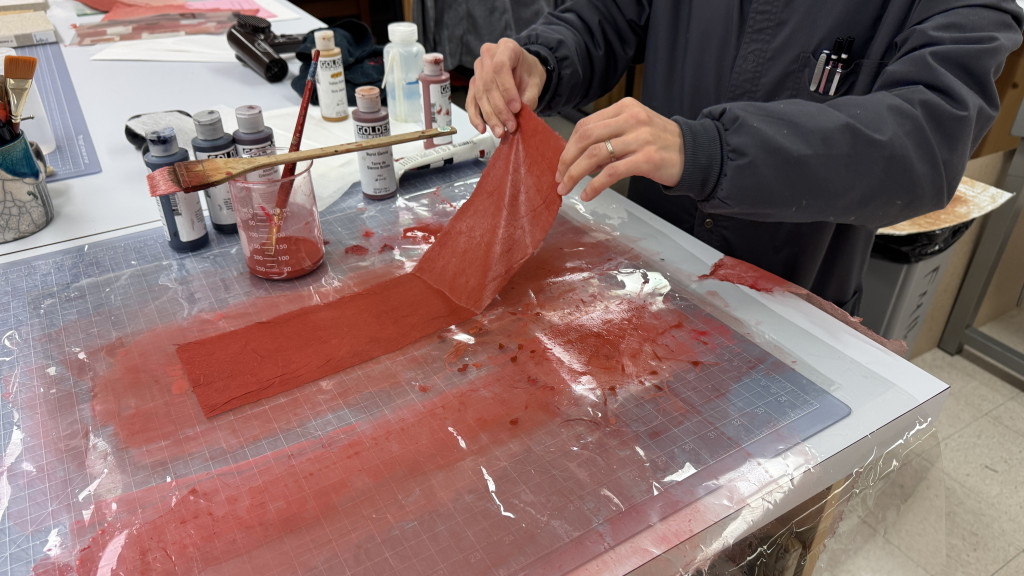
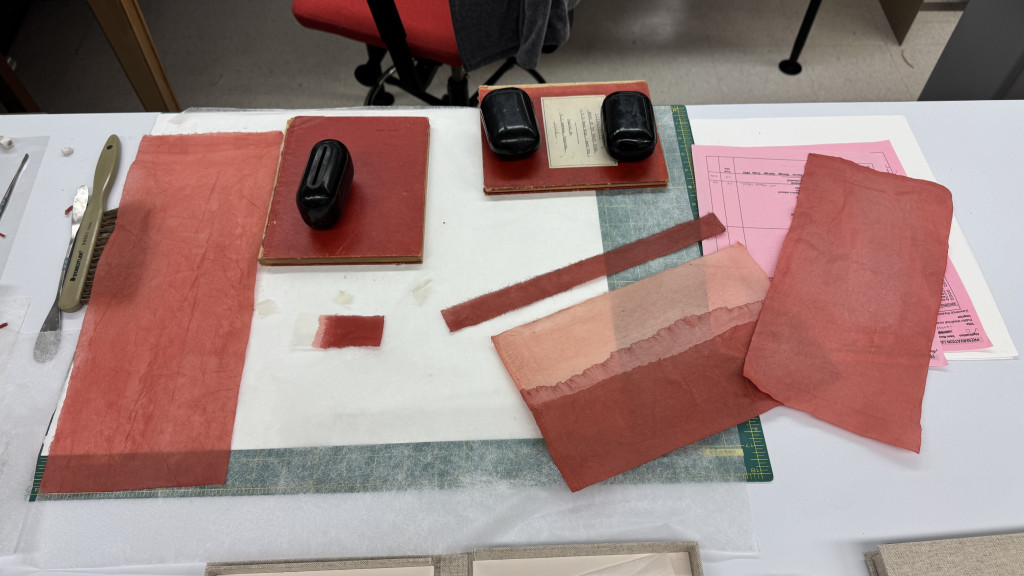
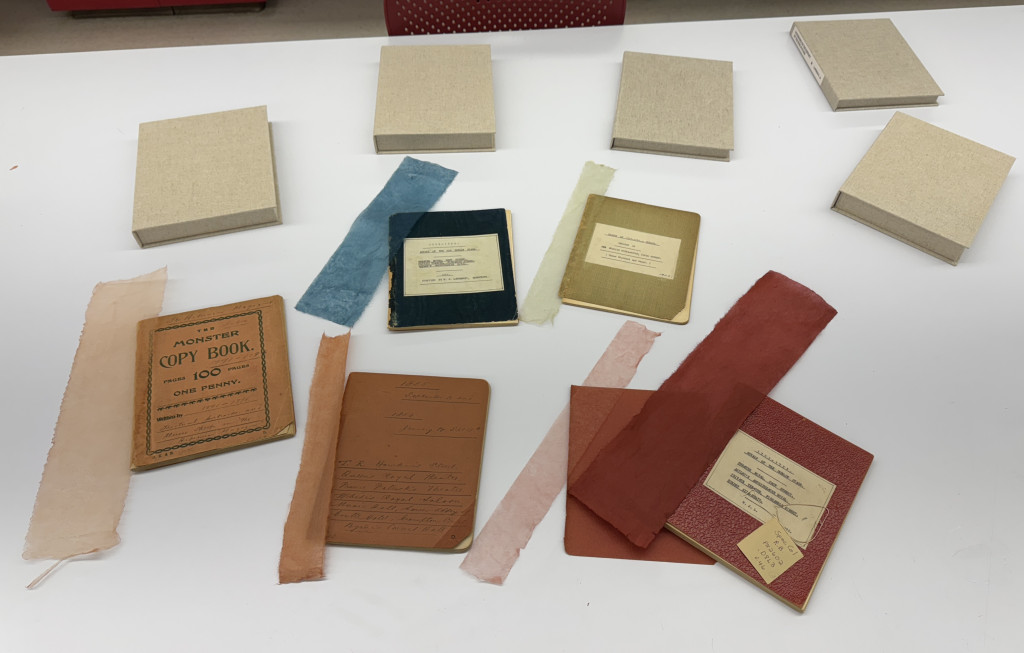
Most of my conservation treatment ended up being hours spent removing pressure-sensitive tape, many more hours toning Japanese paper with acrylics for the repair and stabilization of paper covers, along with surface cleaning and a lot of time dedicated to tear repair.
Toning Japanese paper with acrylics.Toning Japanese paper with acrylics.Toned Japanese paper for repair and stabilization next to the respective notebooks.
Completing the conservation treatment of all 99 Lawrence Notebooks marked the end of a project that unfolded slowly over several years. Because the work was done alongside many other conservation projects, progress often happened one volume at a time, making the moment when the final notebook was finished feel especially satisfying.
With treatment complete and each volume now housed in a custom clamshell enclosure, the Lawrence Notebooks are stabilized and better supported for future handling, digitization, and research. While the notebooks still show the signs of long use that make them such compelling working documents, they are now structurally sound and prepared for the next phase of their life in the collection.
Projects like this reveal how conservation work happens slowly and methodically, often behind the scenes. Completing treatment on all 99 notebooks and seeing them reunited as a stabilized collection reinforces the importance of long-term care in preserving these records of Irish theatrical history for future research and access.
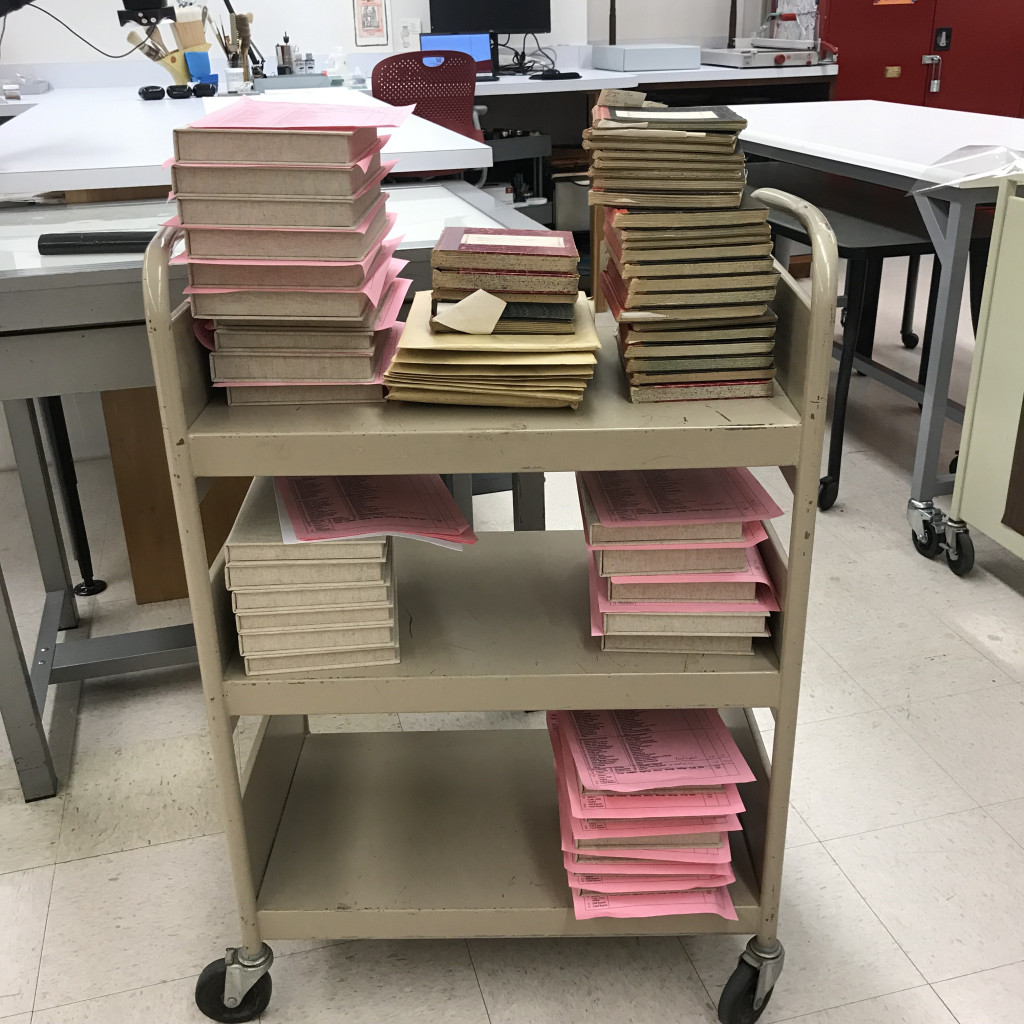
The Lawrence Notebooks shelves in the Archives and Rare Books Library stacks.
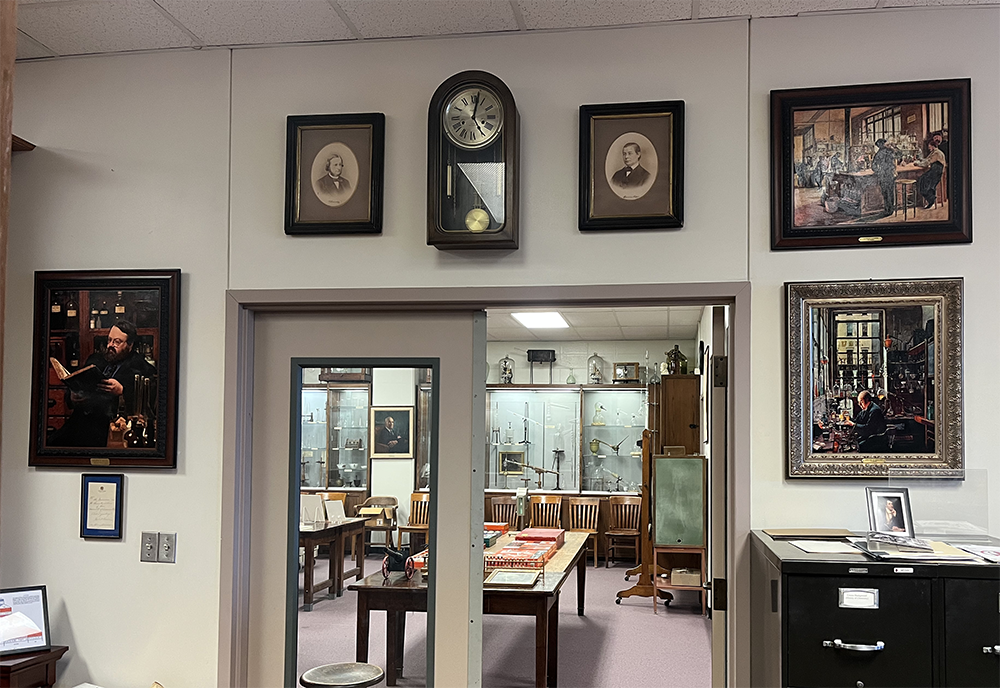
How often do we pay attention to the framed portraits of important people and historical figures that hang on the walls of our institutions? Perhaps we glance their way every now and again, perhaps we even contemplate these forgotten ghosts briefly; but how often does a piece with its own provenance, characters, and stories simply become part of the everyday background, and how do we approach preserving these items, so they are not lost to history?
Frame By Frame
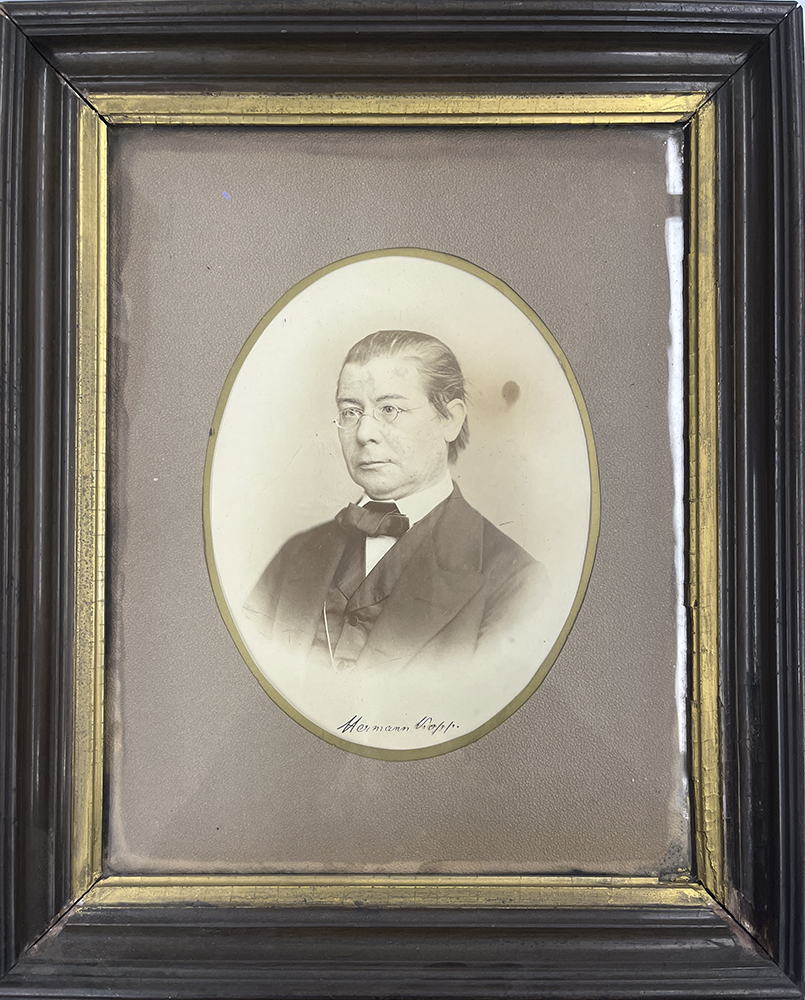
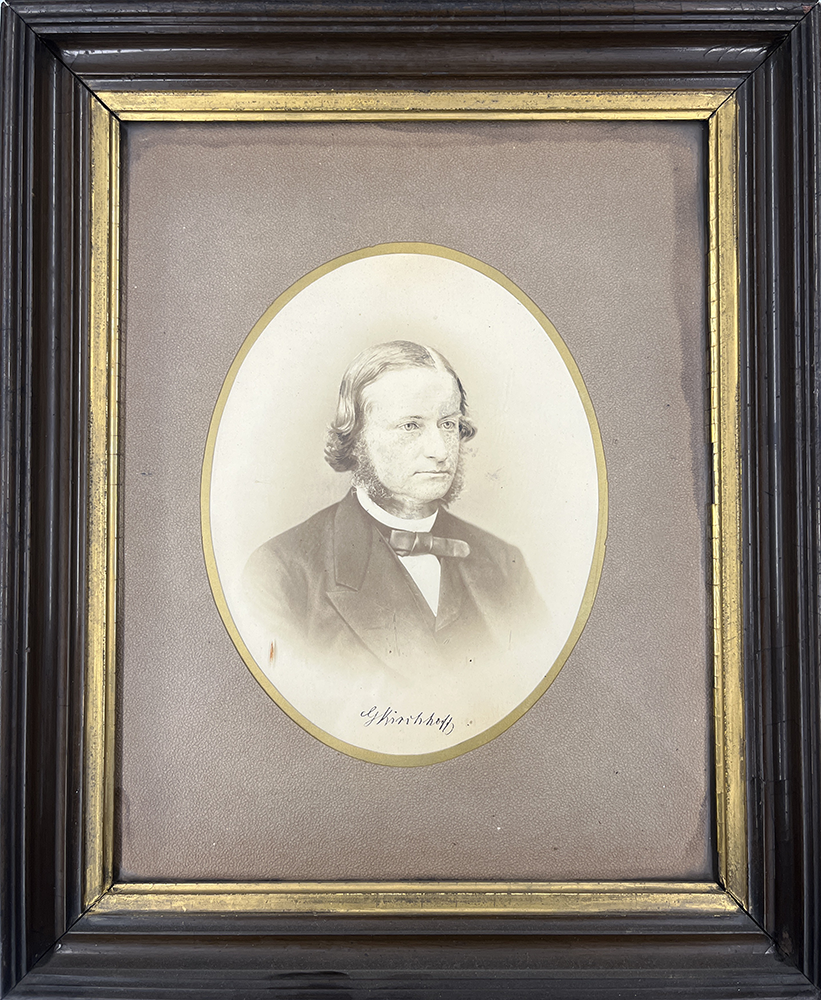
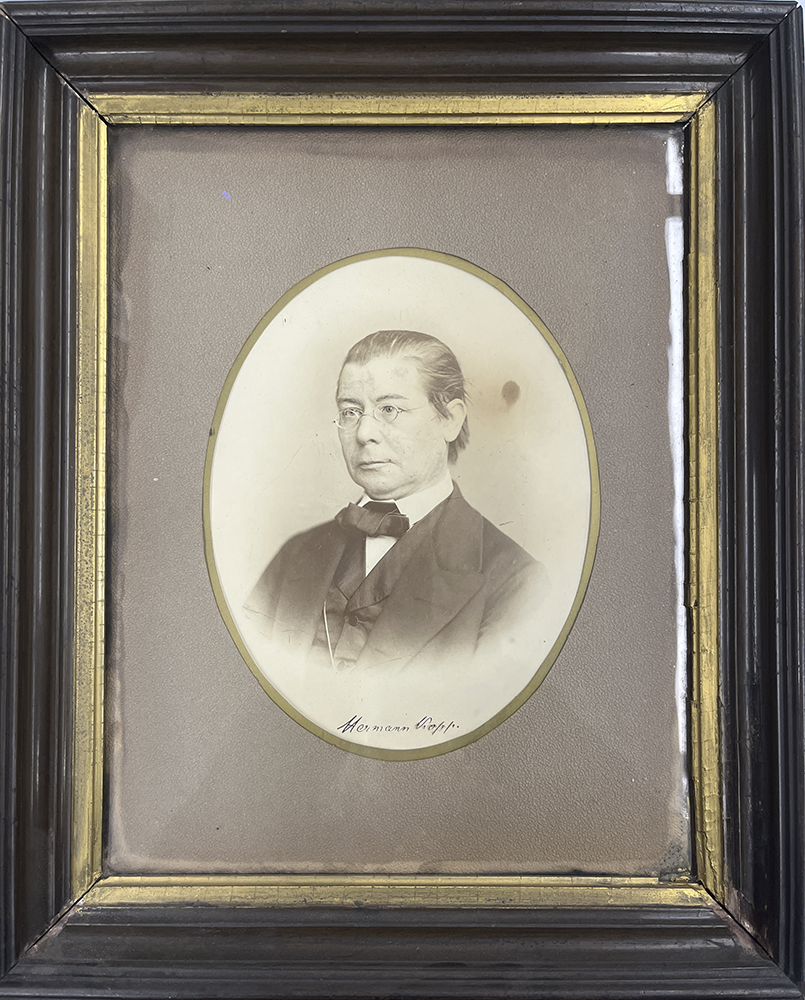
Recently I was assigned a framed portrait of German chemist and historian Hermann Kopp from the Oesper Collections in the History of Chemistry at the University of Cincinnati Libraries. It arrived with a similarly framed portrait of German physicist/mathematician Gustav Kirchhoff, both of which were gifted to early UC chemistry department chair Thomas Norton in 1875 upon completion of his PhD at the University of Heidelberg. They would later become part of the Oesper Collections, and have been, for some time now, hanging on the wall of the library section since the collection was moved there in 1998, according to librarian Mark Chalmers.
The framed portrait of chemist and historian Hermann Kopp, before treatmentThe framed portrait of physicist and mathematician Gustav Kirchhoff, before treatment
The Preservation Lab has received quite a few framed items from this collection as of late and the treatment/housing requested by the selectors has become a common one that we practice. It involves scanning the original and printing a high-quality surrogate image of the photograph or print which can then replace it inside the original frame. The original photograph/print can then be moved to a more archival storage option where it will be less susceptible to damage and degradation. A framed portrait of Marie Curie’s daughter, Irene Joliot-Curie with an inscription from Ralph Oesper received this treatment and storage solution.
The Kopp portrait however, proved to require more creativity than prior framed items, and gave me an opportunity to try out a more unique storage solution.
Kopp’s Portrait
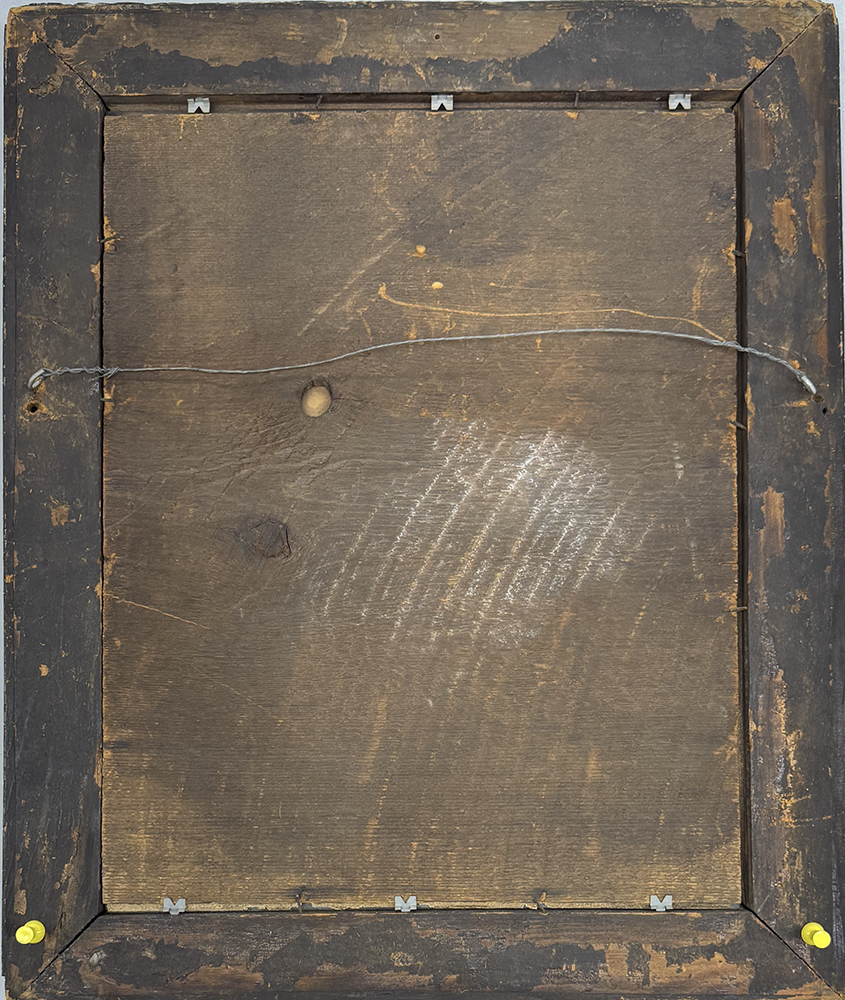
The portrait was framed under several layers. From the bottom up, they included: a beige backing mat which the (likely) albumen print photo of Kopp was attached to, a thin piece of paper featuring an oval-shaped window with a golden border, and a thick brown textured paper, also with an oval-shaped window. These had been secured into a brown varnished wooden frame with painted gold inlays and a solid wood backing board held in place with rusty nails and metal brackets.
Kopp’s portrait seen inside its original frame before treatmentThe verso of the original frame before treatment
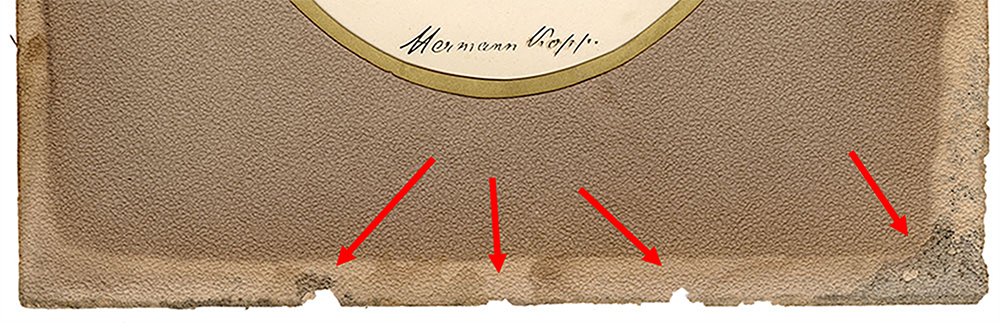
Unfortunately, just about everything outside of the photograph itself is in poor condition. The entire matting system is extremely acidic and brittle with pieces of the brown paper window flaking off around the edges. There is also evidence that it has suffered water damage in the past.
The portrait’s matting system is extremely acidic and brittle; areas where bits have flaked off can be seen. Evidence of water damage can also be seen in the lower right corner.
The Original Frame
Although the wooden frame the portrait was housed in for years is original and part of the object’s history, it is far from archival. With its varnished finish, rough wooden edges, and surface grime, it was likely doing more harm than good as far as the long-term preservation of Kopp’s portrait; it could not remain in this frame. The frame is, however, every bit as storied as the actual photograph.
Conditions such as those presented by this frame are a good example of why we often replace original items inside frames with surrogate images. This way, any potential damage or degradation caused by poor storage conditions will happen to a reproduction image opposed to the actual object.
The Surrogates
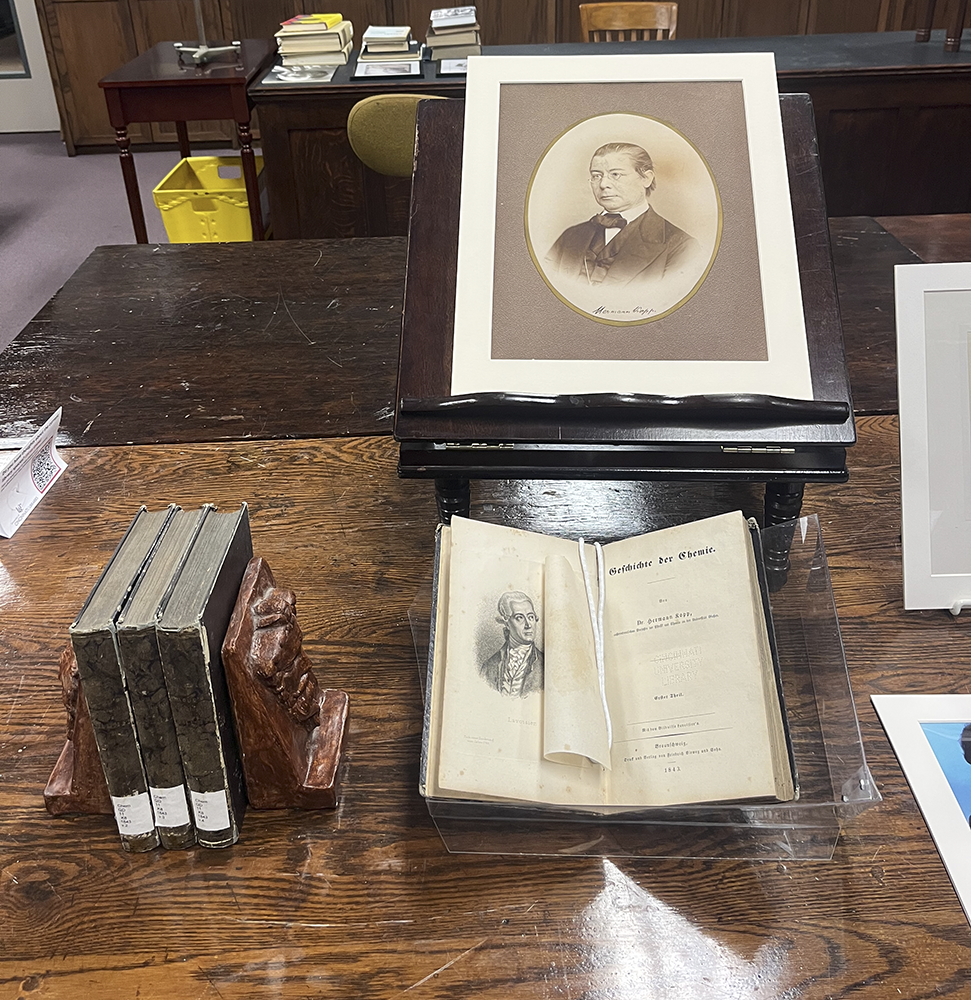
For this treatment, it was determined that two surrogates would be printed to be displayed in the Oesper Collection: one to take the place of Kopp’s original portrait inside the frame which could then be re-hung on the wall of the library, and the other to be added to a display in the museum section.
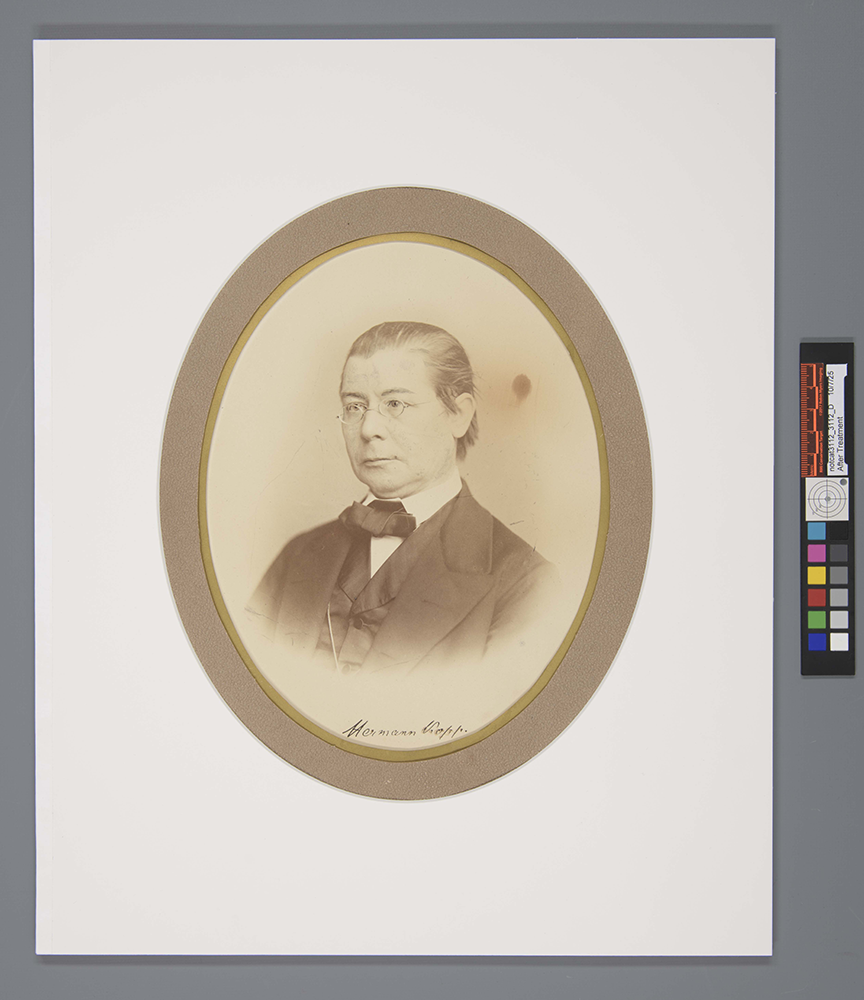
One of the surrogates of Kopp’s portrait on display in the museum section of the Oesper Collections alongside Kopp’s four-volume series Geschichte der Chemi (1843-1847), courtesy of Mark Chalmers.The other surrogate back in its original frame re-hung on the wall of the Oesper Collections library, Courtesy of Mark Chalmers.
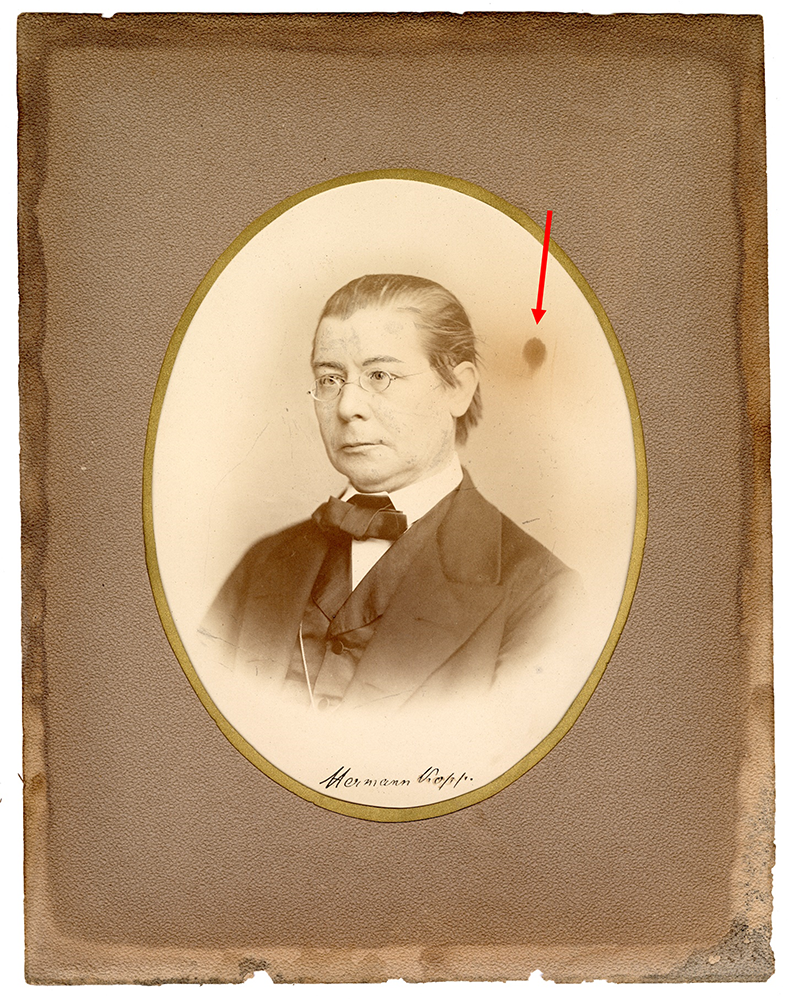
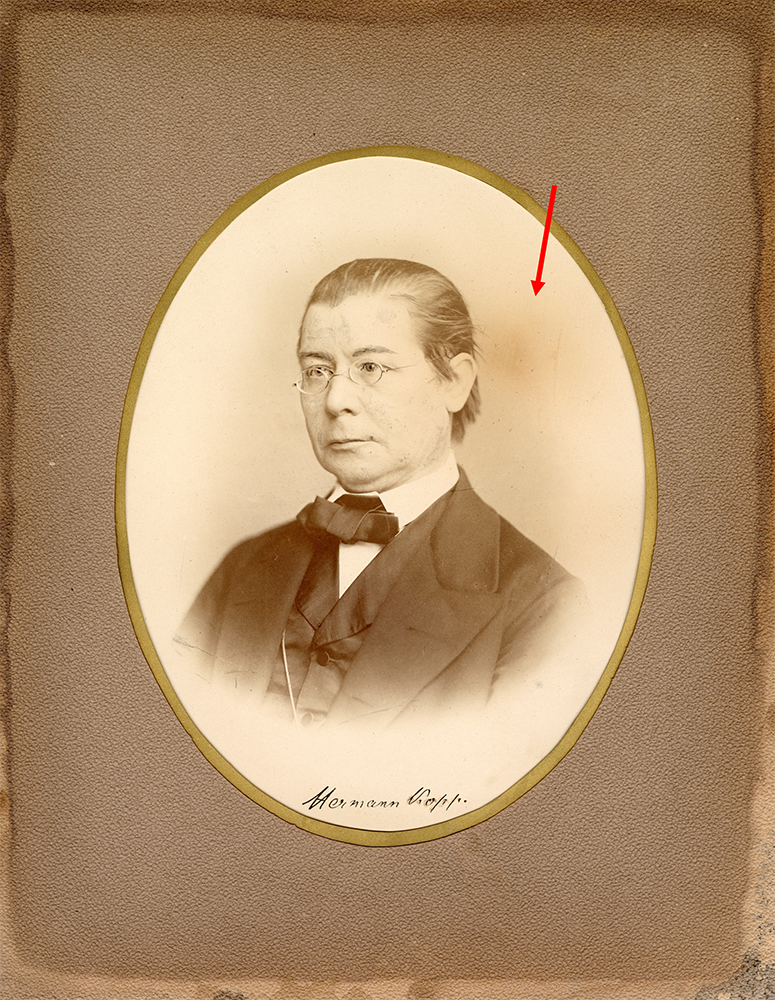
Jessica Ebert, Assistant Conservator at the Preservation Lab, and our go-to personnel for digital imaging, gently digitally retouched the image of Kopp, after consultation with the curator.
The scanned image before digital retouching.The scanned image after digital retouching; notice the absence of the spot to the right of his head.
Storage Considerations
As with earlier framed items we have received from The Oesper Collections, it was decided a matting system was appropriate for safe storage of the unframed portrait and its included parts. However, the brittleness of the items and some uncertainty about how the photograph would react to environmental factors presented some unique challenges.
Although the mounting technique of placing them inside a polyester L-sleeve and mounting this with photo corners/strips would be easy and fast, there was some concern that humidity could enter the sleeve and cause damage to the photograph’s emulsion layer. Also, items mounted this way often need to flex and bend to a degree that these fragile materials likely could not afford.
The Paper Cradle with Z-folds
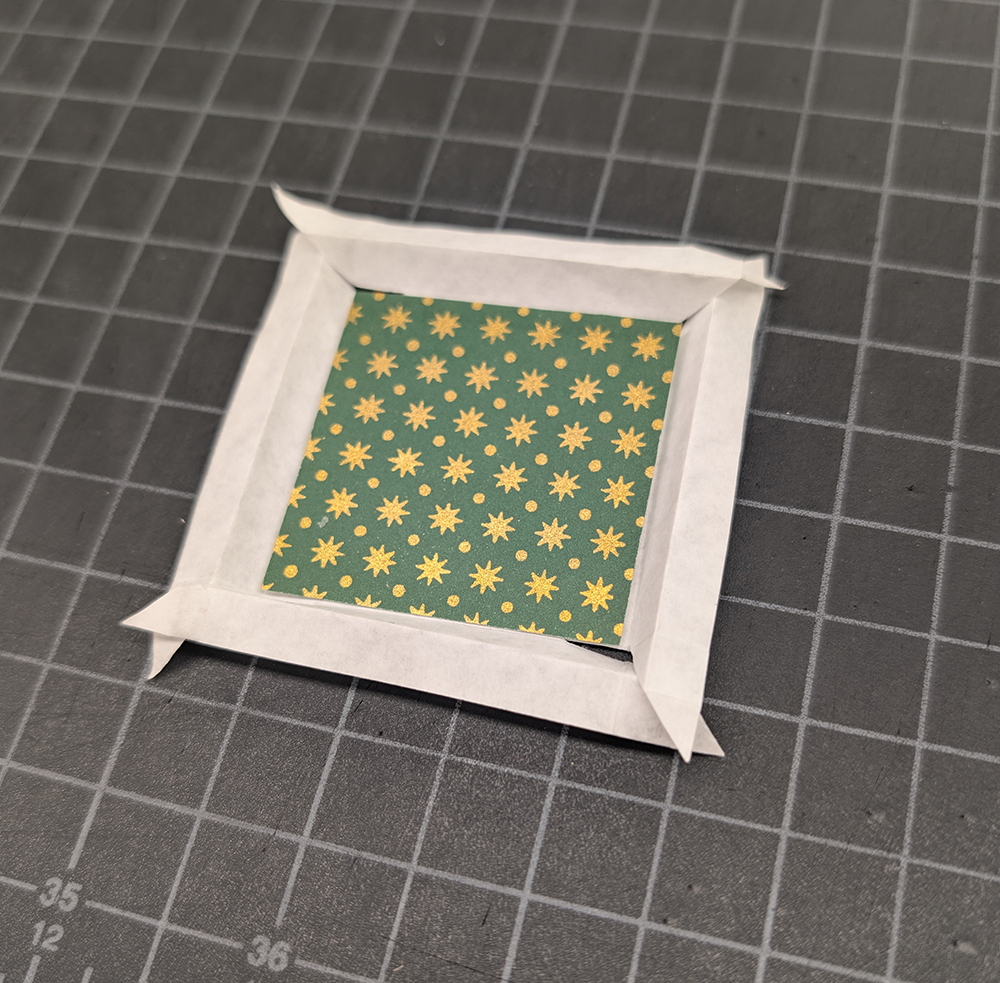
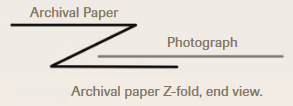
After considering these factors, Assistant Conservator Jessica Ebert suggested a paper cradle with z-folds. This mounting technique utilizes archival paper that is partially cut diagonally at each corner. Each edge of the paper is then folded over itself twice in opposite directions, creating a pocket for the edges of an object to rest gently inside.
A small model of a paper cradle after the cuts and folds have been made.
Profile view of the pocket created when making the above folds; image from 2010 Art Conservator Tech Notes by Jennifer McGlinchy.
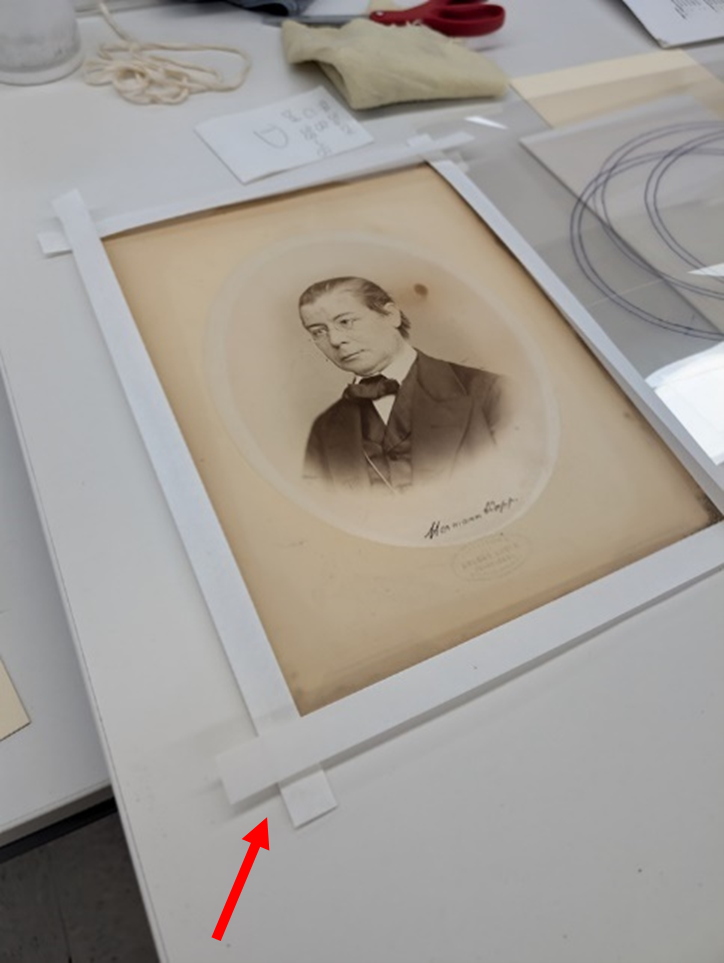
Once the cuts and folds have been made and the object is safely inside the cradle, the paper tabs extending off the corners of the cradle can then be mounted to a back mat using archival tape.
Once cuts and folds are made, the cradle features two tabs at each corner; these are used to mount the cradle using archival tape.
The Package
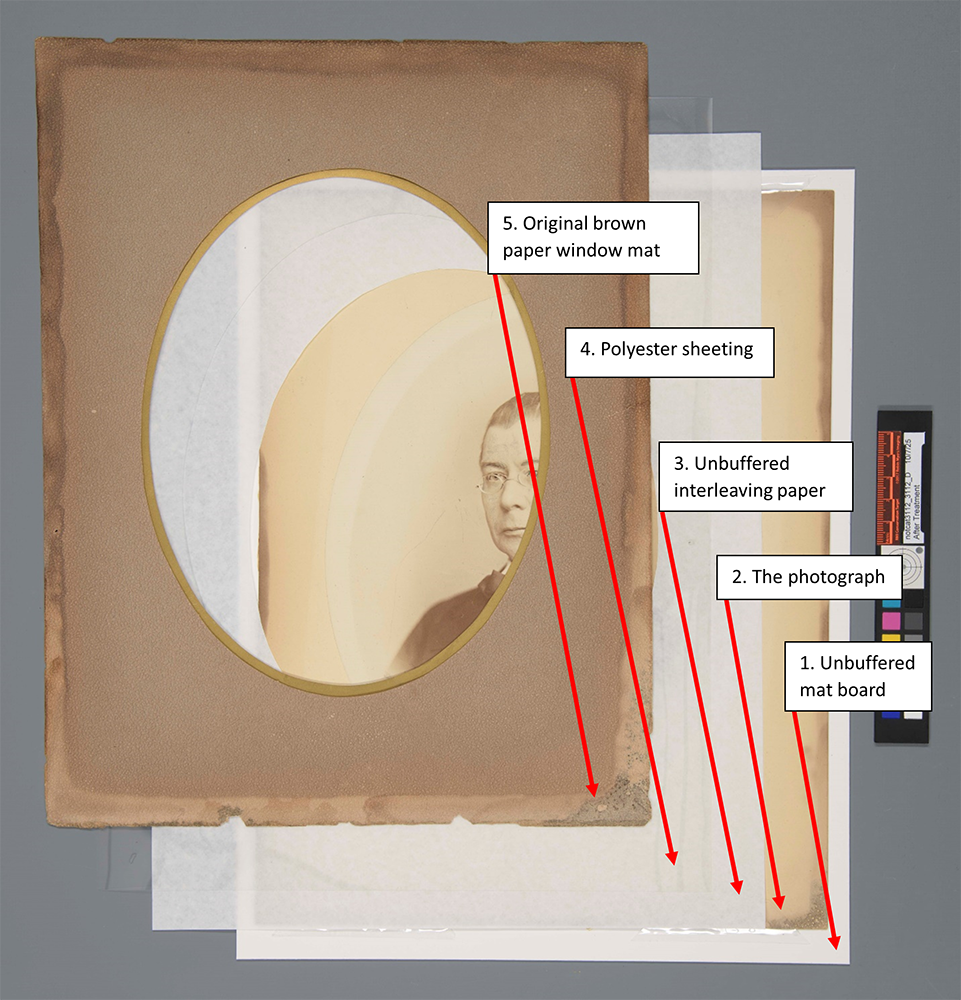
We wanted to store both the photograph and its original brown paper window mat together inside of the paper cradle, but the acidity of the brown paper was still a concern. We determined that several protective layers should be included to prevent any acid migration from the brown paper to the photograph. All the layers inside of the paper cradle, affectionately referred to as “the package”, are as follows, starting from the bottom up:
A piece of mat board to provide rigidity to the package.
This will prevent any potential bending of the extremely brittle materials which could easily lead to damage. It was cut to be slightly larger than the rest of the package, allowing for small micro movements of the brown paper window mat, hopefully preventing its brittle edges from becoming damaged inside the creases of the cradle.
The photograph itself.
The photograph and its original back mat were mounted to the unbuffered mat board piece described in the previous layer using edge strips.
A piece of unbuffered interleaving paper with an oval-shaped window, allowing the portrait to still be viewed.
This layer was added because the polyester sheeting mentioned in the next layer has a sharp edge around its window. The interleaving paper protects the emulsion layer of the photograph from scratches and other abrasions.
A piece of polyester sheeting, also with an oval-shaped window, allowing the portrait to still be viewed.
This layer adds a bit of rigidity to the original brown paper window mat. This will further help prevent the acidic brown paper from bending and breaking.
The original brown paper window mat
The individual layers of the “package” to be stored inside the paper cradle.
The Sink Mat
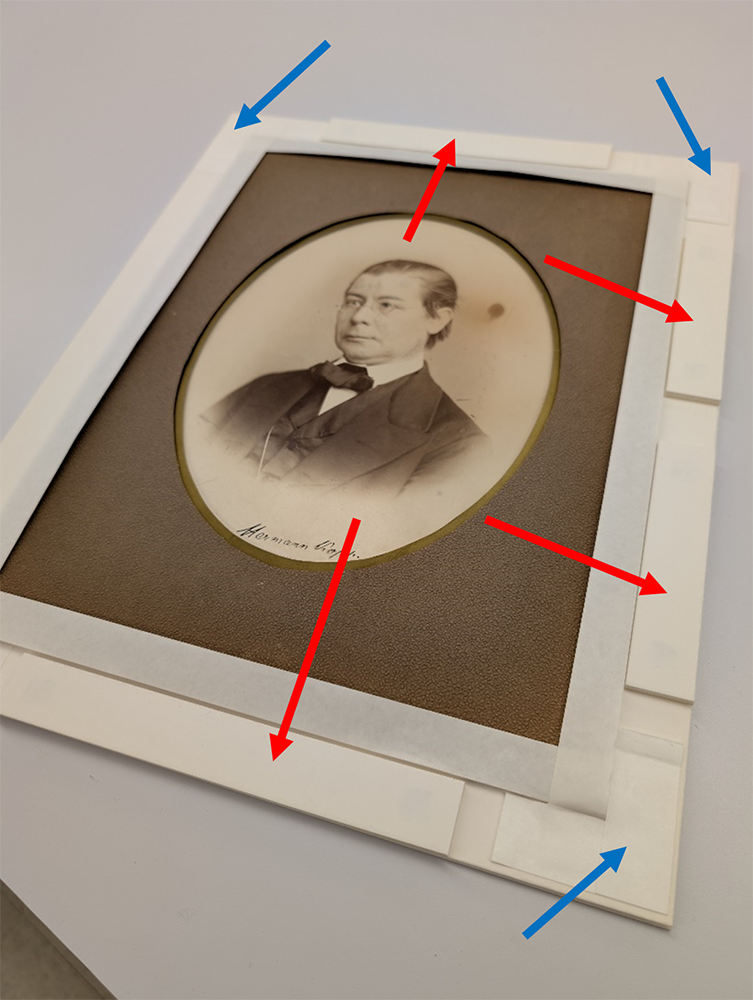
Now that the portrait/package was safely inside its paper cradle, I could begin working on the matting system. As is typically the case with any item with a significant amount of thickness, I planned on building a sink mat. However, when constructing this sink mat, I had to allocate space around the perimeter of the object when attaching the mat board spacers so that the paper cradle’s tabs had space to be taped down; this contrasts with a typical sink mat in which the spacers are typically placed around the entire perimeter.
Although the perimeter is still built up around the object with mat board (indicated with the red arrows), space had to be allocated to allow the tabs of the paper cradle to be attached using archival tape (indicated with the blue arrows).
Cutting Ovals
For the new window of the matting system, Assistant Conservator Catarina Figueirinhas suggested that cutting the window in the shape of an oval would be appropriate as the original brown paper window mat had an oval window, and the photograph itself was oval-shaped. After a bit of research, we discovered a moderately-priced (around $65 on Amazon) adjustable mat board cutter that could cut ovals at a beveled angle: The Model 201 Oval & Circle Mat Cutter from Logan.
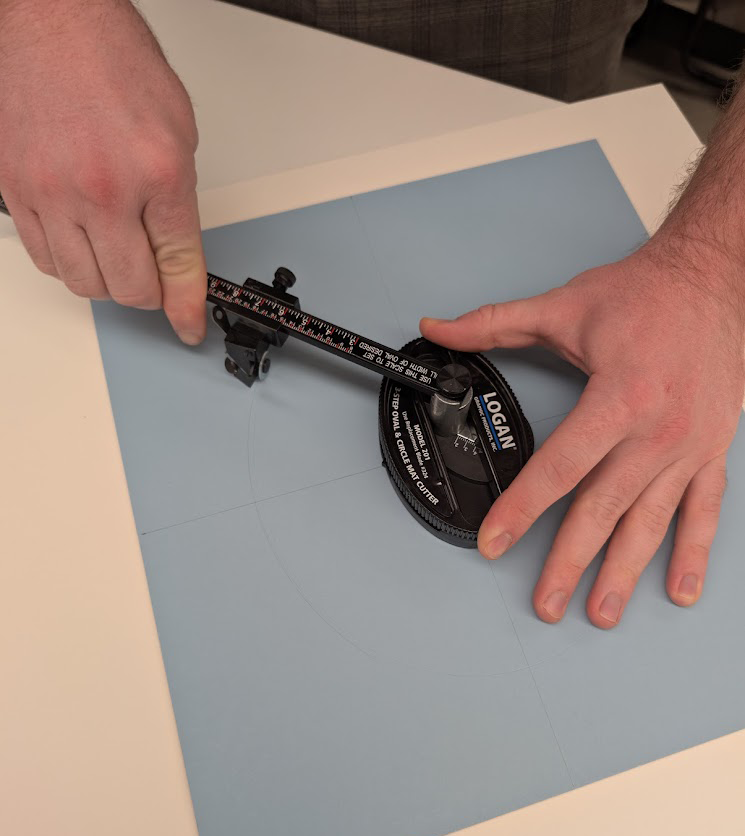
The Logan Model 201 in action; one hand holds the base steady while the other guides the arm with an attached blade around the center point.
After watching a very helpful YouTube video I felt ready to give the Logan Cutter a try. I found it easy to use after a little practice and was satisfied with the results.
The Completed Matting System
Once the sink mat spacers were added, the paper cradle was taped down, and the oval window mat was attached, the matting system was complete.
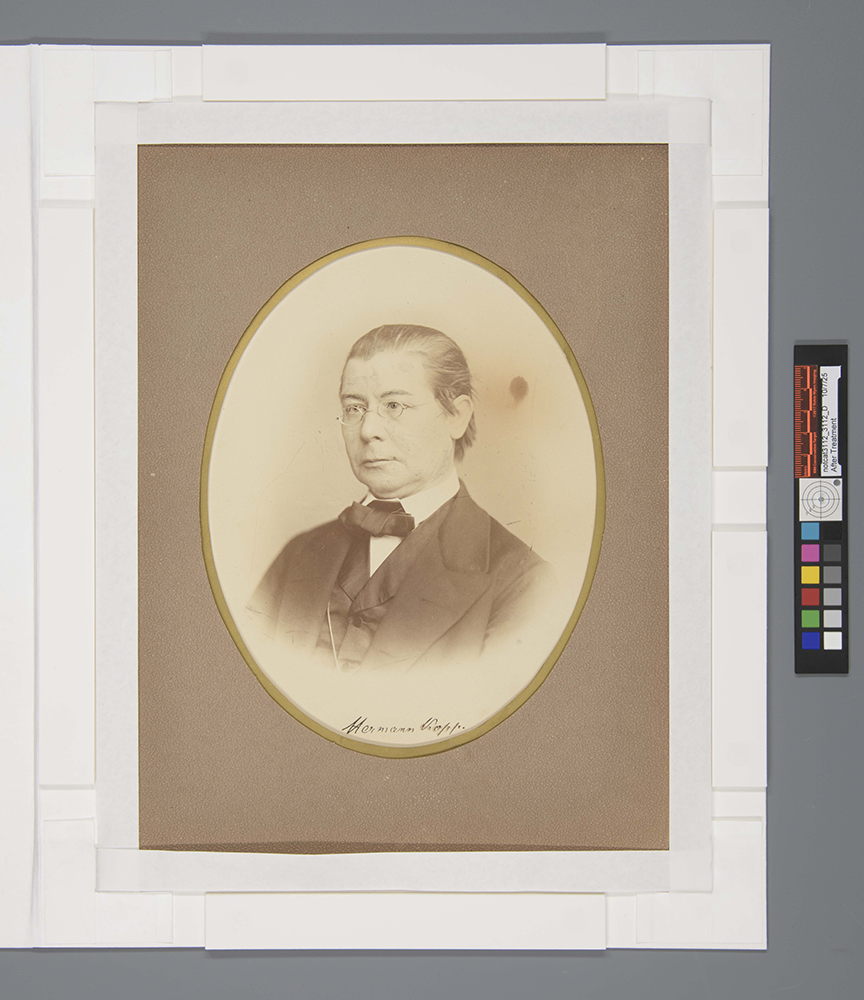
Kopp’s portrait inside its matting system with an oval window.The inside of the matting system; Kopp’s portrait can be seen inside its mounted paper cradle.
As Kopp’s actual portrait inside its new matting system is not going to be displayed any time soon, I also constructed a tuxedo box for long-term storage. This will help further protect it, especially from any light damage.
Final Thoughts
The display surrogates, however, can currently be viewed and contemplated by anyone who tours the Oesper Collection. Sometimes I like to think about how the work that we do at the Preservation Lab is becoming part of the items we treat’s history. Just as this portrait has crossed an ocean, passed through the hands of Thomas Norton, Ralph Oesper and multiple UC Chemistry department heads, hung on that cold wall of the chemistry library in 521 Rieveschl Hall for countless aspiring chemists to contemplate, and finally ended up under the stewardship of current UC librarian Mark Chalmers, it was briefly in my possession. As stewards of cultural heritage, we can only hope that the time these objects spend in our care can extend these histories indefinitely.
Historical References Provided by Mark Chalmers:
Cincinnati Chemists: Assorted Papers on the History of the Cincinnati Chemical Community by William B. Jensen
Robert Bunsen’s Sweet Tooth: Bunseniana in the Oesper Collections by William B. Jensen
Image and Other Supplemental References:
2010 Art Conservator Tech Notes by Jennifer McGlinchy
We were delighted to have Dr. Cathleen Baker come to UC for 4 days to teach us all about paper, paper making and printing in a collaborative programming and outreach workshop entitled Identification of Western Hand- & Machine-Made Paper, 1750-1900. The workshop included Preservation Lab staff, staff from UC Libraries Archives and Rare Books Library and the Content Services department, and Kathy Lechuga from Signature Conservation.
With Cathy’s teaching and guidance, we soon discovered some of the key characteristics is in handmade paper and how the introduction of machine-made paper just made everything more complicated. Oof, that dandy roller… But it was so exciting to make discoveries in the paper and learn new tips for paper identification. This will be particularly helpful for Preservation Lab staff when we do our examination of items for treatment proposals.
We are all beyond grateful to Cathy for sharing her immense knowledge and expertise with us. We all learned so much about handmade and machine-made paper and printing. Here’s just a taste of the workshop and us examining special collections items from the ARB Library and the Science Library collections:
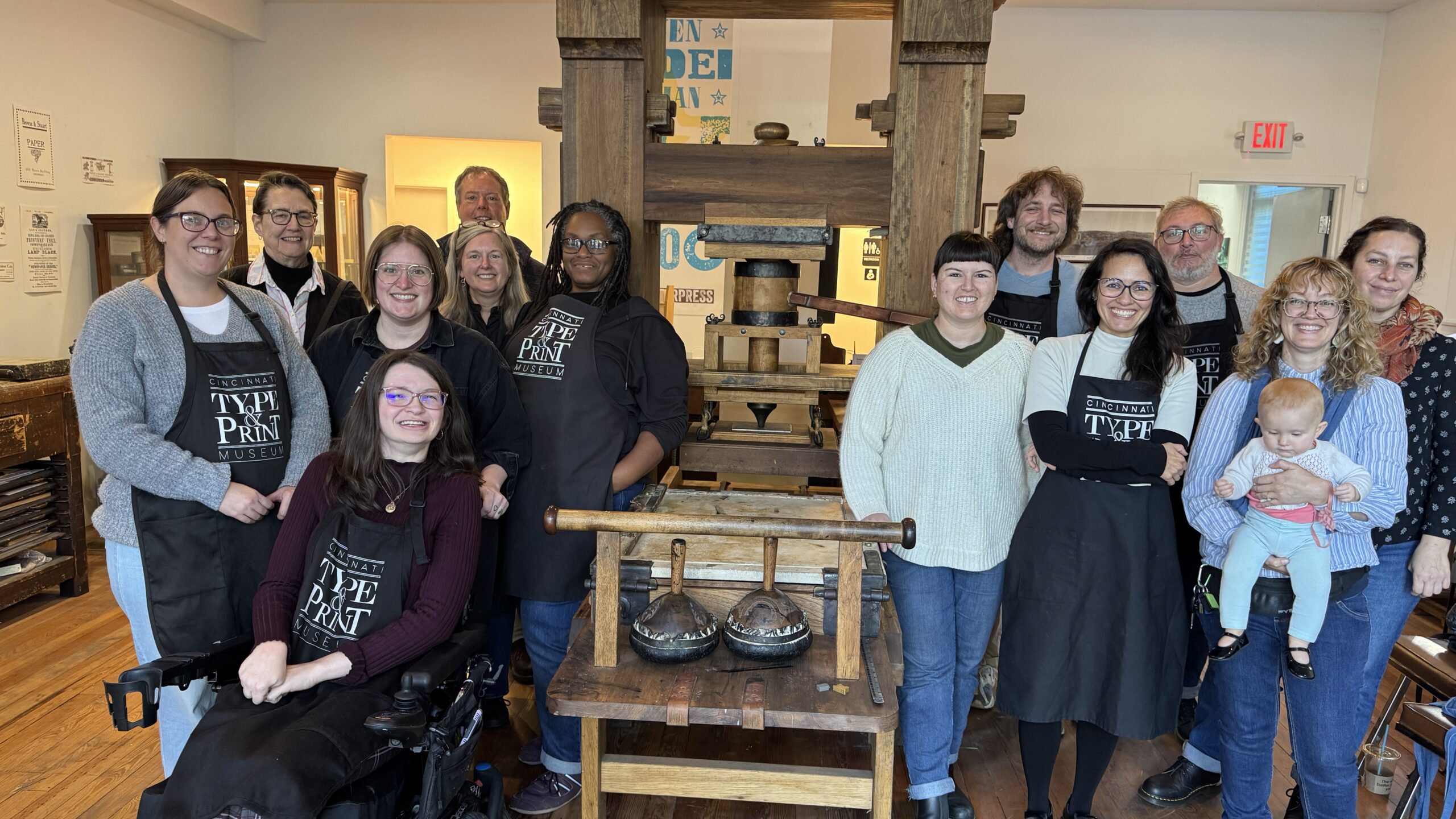
We also took a field trip to the Cincinnati Type & Print Museum to get a paper understanding of printing. It was a fantastic experience! A big thank you to Gary and his staff for a wonderful time printing and a great tour.
It’s been a busy year in the Lab, and frankly we kind of lost track of our usual Halloween festivities this year. So in lieu of something big, new and grand, I thought I’d share some of the fantastic content we’ve created in years past.
Our Halloween Instagram festivities truly began in 2021 when we hosted five days of Preservation Horrors, complete with a skull rating system and everything!
In 2022 we had another multi-day event called the Haunting of the Preservation Lab where we highlighted tools, equipment and materials that appear in horror movies, but that we also use daily in the Lab. Followed by a fun “actual” haunting of the Lab!
Don’t forget to check out the Haunted Stairwell, a ghost story from our much loved colleague Mike Braunlin at the Classics Library.
Then last year we created Halloween Costumes: Conservation Edition, which included last minute costume ideas featuring things you could find around a conservation lab.
Fun fact, we still have the Vigo painting in out back supply room and occasionally it will scare non-team members or new students and we get a chuckle out of it!
It’s amazing the different ways books can tell us stories. There’s the obvious: the words that are written on the page and create the story the author wanted to tell. But there’s also what lies beneath the surface — the wear and tear of the book, how it was bound, what materials were used to make it. There’s the outright story a book was meant to share, but there are also context clues, and deeper ways we can dive into the history of a book.
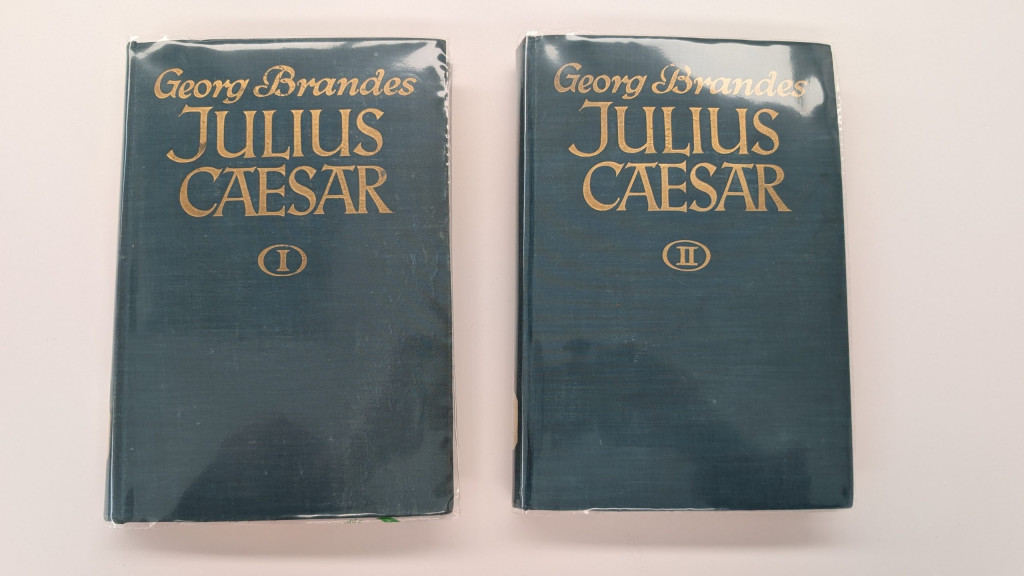
Sometimes, a book just outrightly tells its story through notes left by previous owners. A handwritten message about where it was bought, a book plate of whose library it came from, or an inscription with notable information about damage to the tome are all ways prior owners can document what the book has been through. This latter suggestion is the case for a two-volume set of Cajus Julius Caesar by Georg Brandes.
Pictured: volumes I and II of Cajus Julius Caesar.
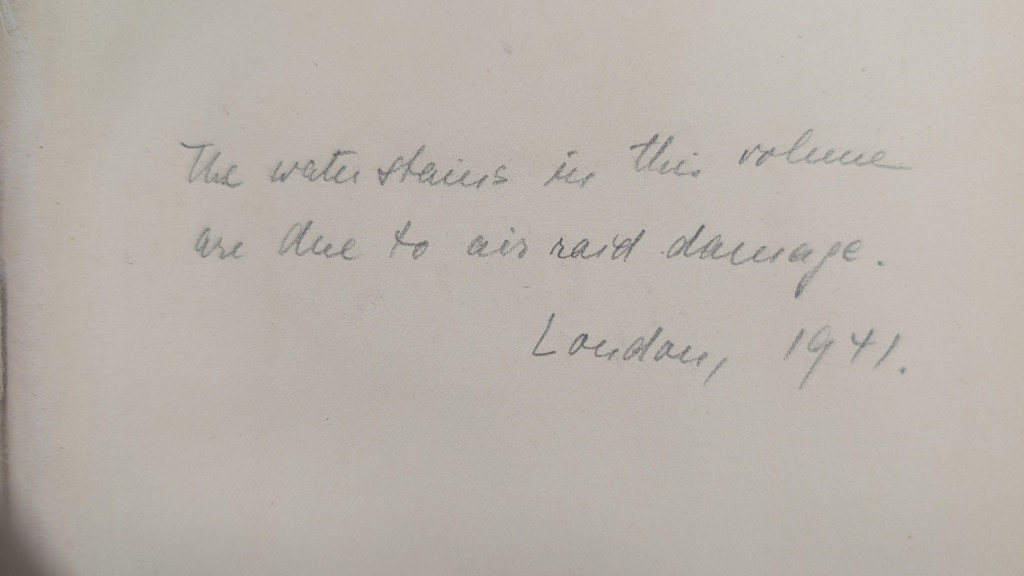
These books were published in 1925 by the Erich Reiss Verlag publishing house. On the fly leaf of both of these volumes is a handwritten inscription which reads “The water stains in this volume are due to air raid damage. London, 1941.” In graphite. What a big journey for two books, from Berlin, Germany, to London, England, and then to Cincinnati, Ohio!
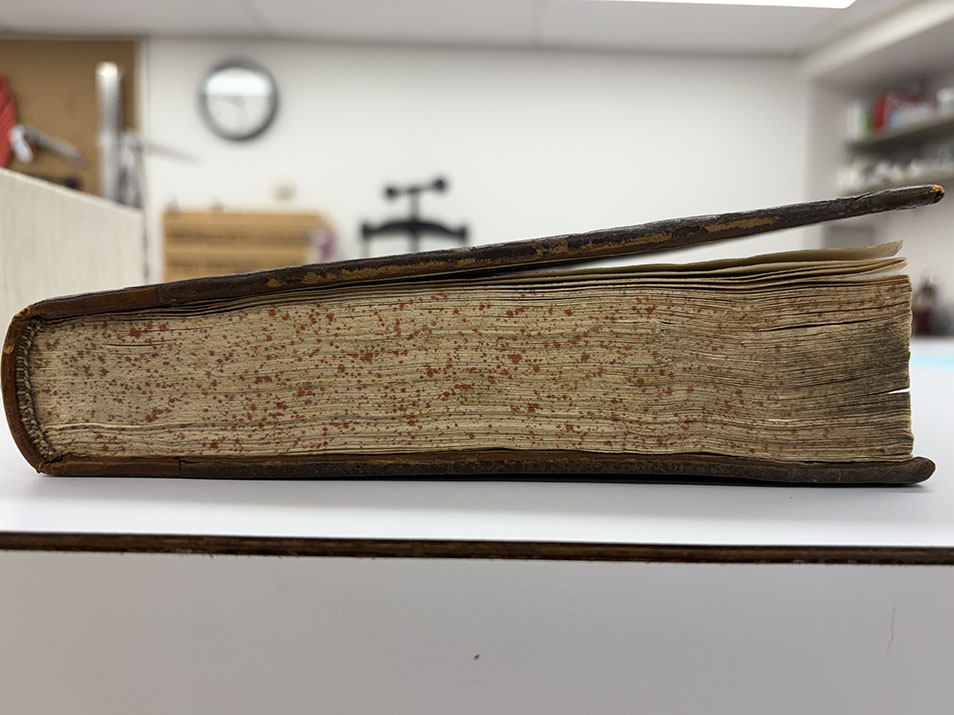
Pictured: inscription in Julius Caesar Volume I.Pictured: inscriptions in Julius Caesar Vol. I and IIPictured above: signs of water damage on the book.
The water damage to the books is there but it isn’t too drastic. There is some obvious staining and cockling to the pages, as well as some warping of the covers. These books were treated with v hinges on the front and back fly leaves to prevent further separation of the cover from the text block and were also put in Colibri covers to help keep them protected on the shelves and during use.
Pictured: both volumes of Julius Caeser being treated with v hinges.
These books needed minimal treatment, and then will return to their home at the Classics library. With some care from the preservation lab, these two volumes can continue to tell their story for years to come.
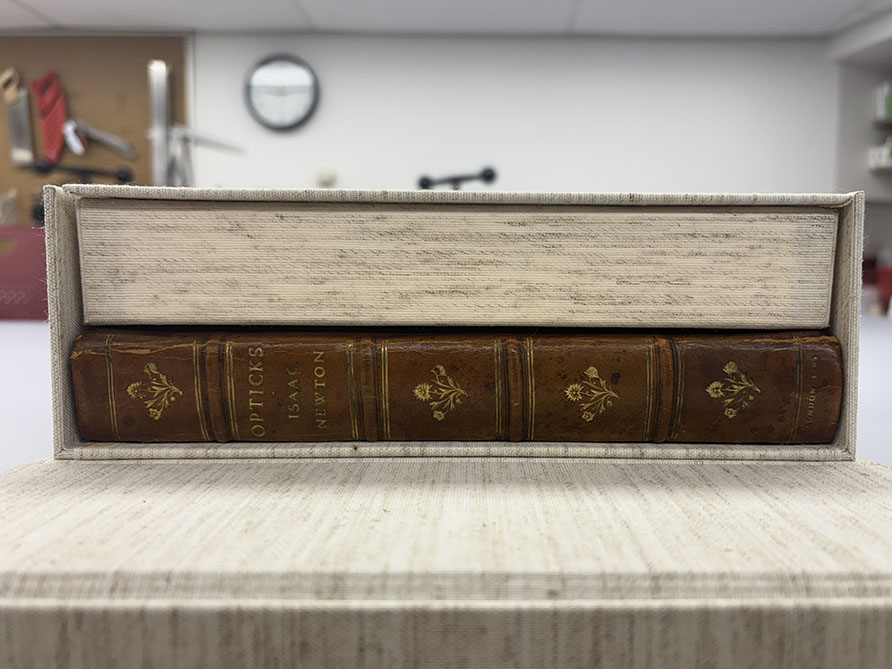
This is a lovely leather-bound volume that came to us in need of a cloth-covered clamshell with some gentle compression. Unfortunately, it has a bit of an odd shape, meaning we had to solve the problem of the open space in the enclosure.
Figure 1. The problem: a wedge-shaped volume
Our solution: a wedge to secure the volume and spread the pressure of the compression. We opted for mat board as opposed to book board, both to keep the enclosure from getting to heavy and to give the wedge a little bit of flex.
Thanks to a little math and a little mat board, this volume will be safe and secure and protected from temperature and humidity changes in its home on the shelf!
Figure 2. The solution: a cloth-covered wedge to spread the compression and fill the empty space.
Figure 3. The completed wedge. A perfect fit!
Hyacinth Tucker – Conservation Technician and Bindery Processor
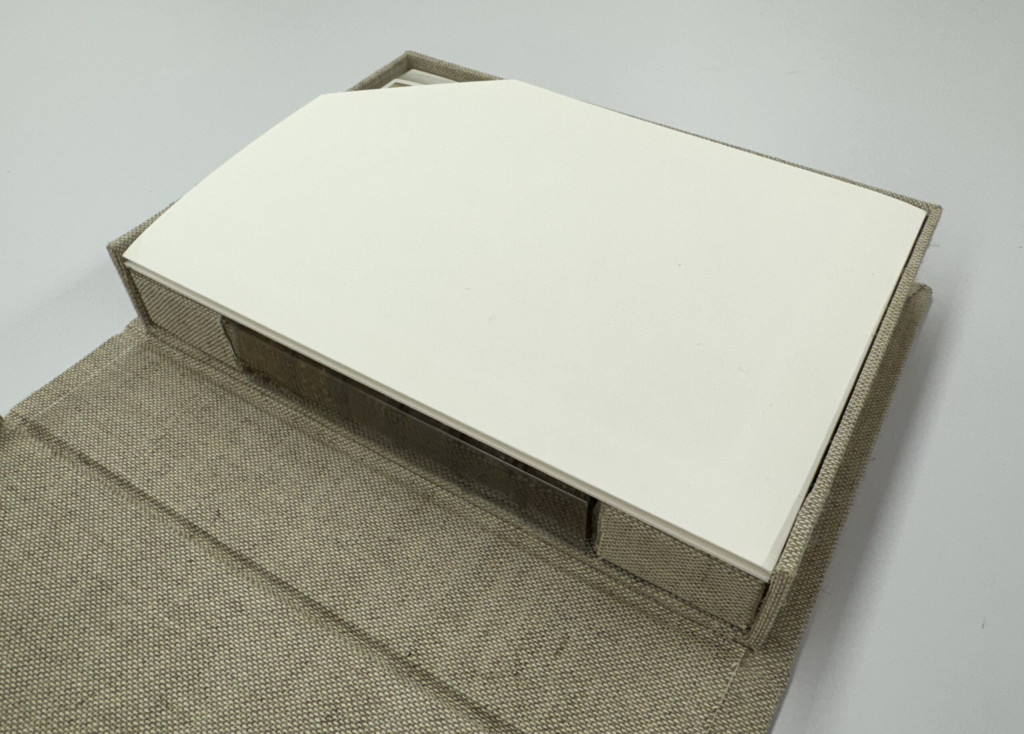
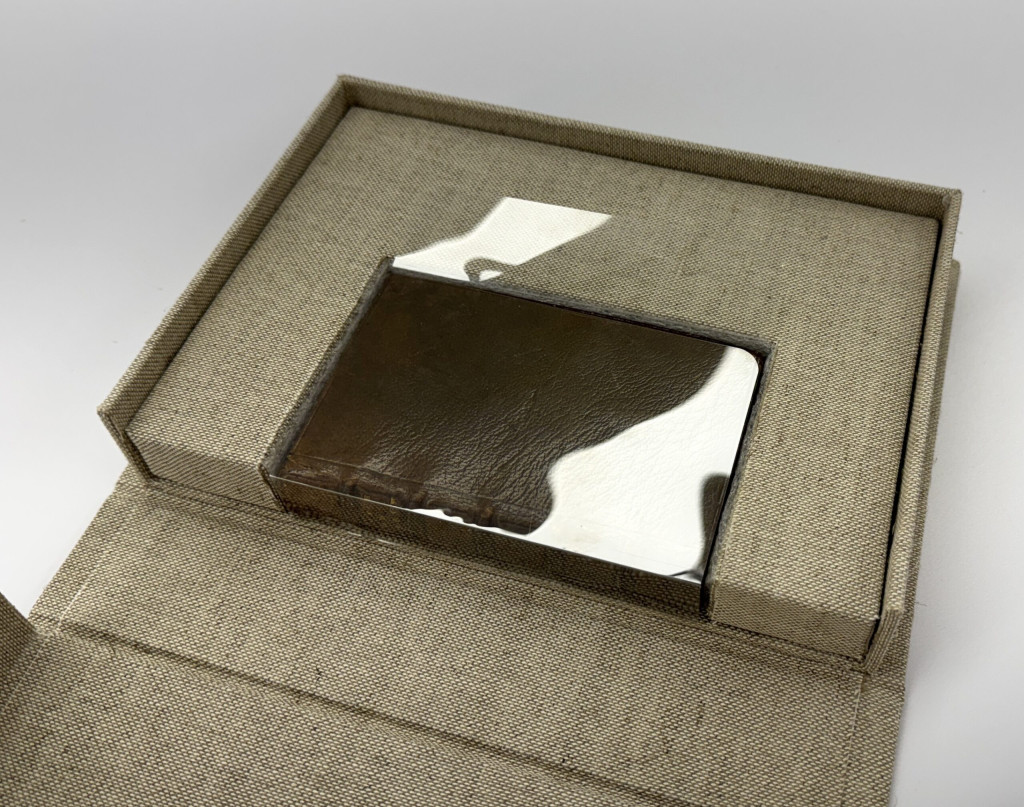
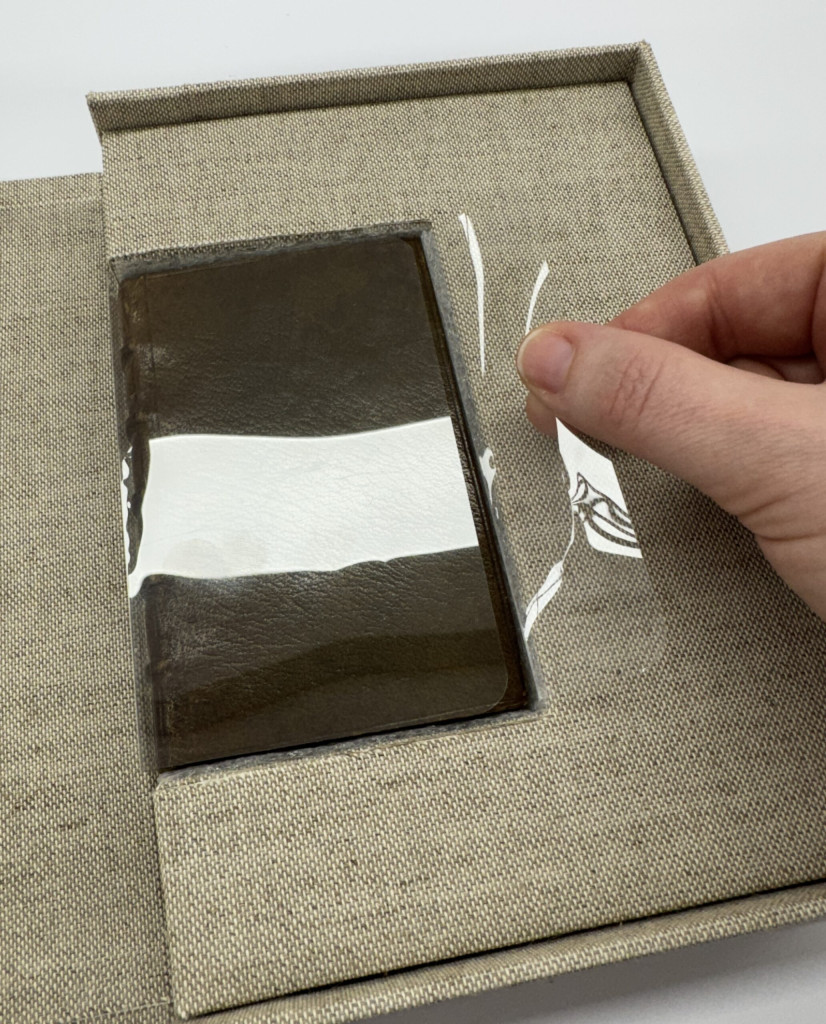
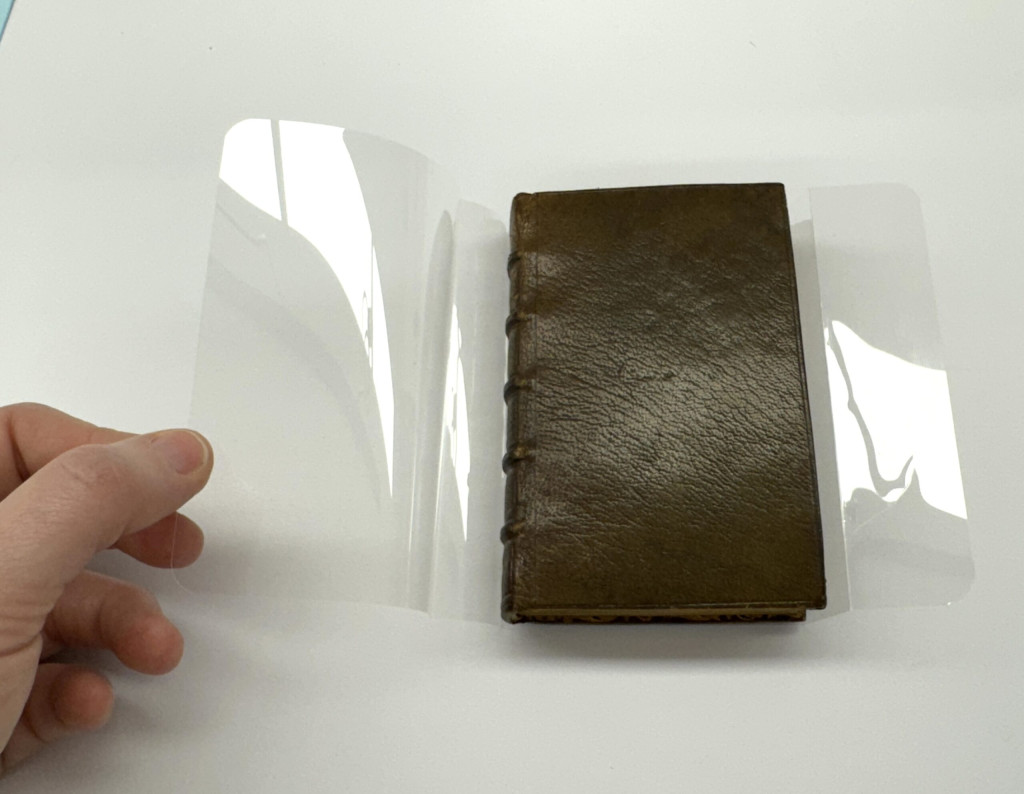
I recently created a cloth covered clamshell enclosure for this small leather volume from the Cincinnati & Hamilton County Public Library. The volume has eight full color miniatures which received surrogate photography. The surrogates were printed to roughly 5×7 inches, making them substantially larger than the text, so an insert was created within the cloth clamshell to house the smaller volume.
Interior tray of the cloth clamshell enclosure with the surrogates placed on top of the small leather volume housed within the custom insert.To build up the enclosure to the size of the surrogates, an insert was created using archival corrugated board covered in Cotlin bookcloth. I lined the portion of the insert where the volume would rest with thin Ethafoam sheeting, so the fragile leather edges wouldn’t be abraded.To aid in lifting the volume from the enclosure I created a partial polyester wrapper of sorts. Part jacket, part sling. A faux jacket-sling hybrid, if you will?A closer look at the polyester creation, with rounded corners.
Overall, I think it’s a quick and easy solution that could be beneficial in future situations where a simple modification of an existing enclosure is needed, but space within the enclosure is at a premium.
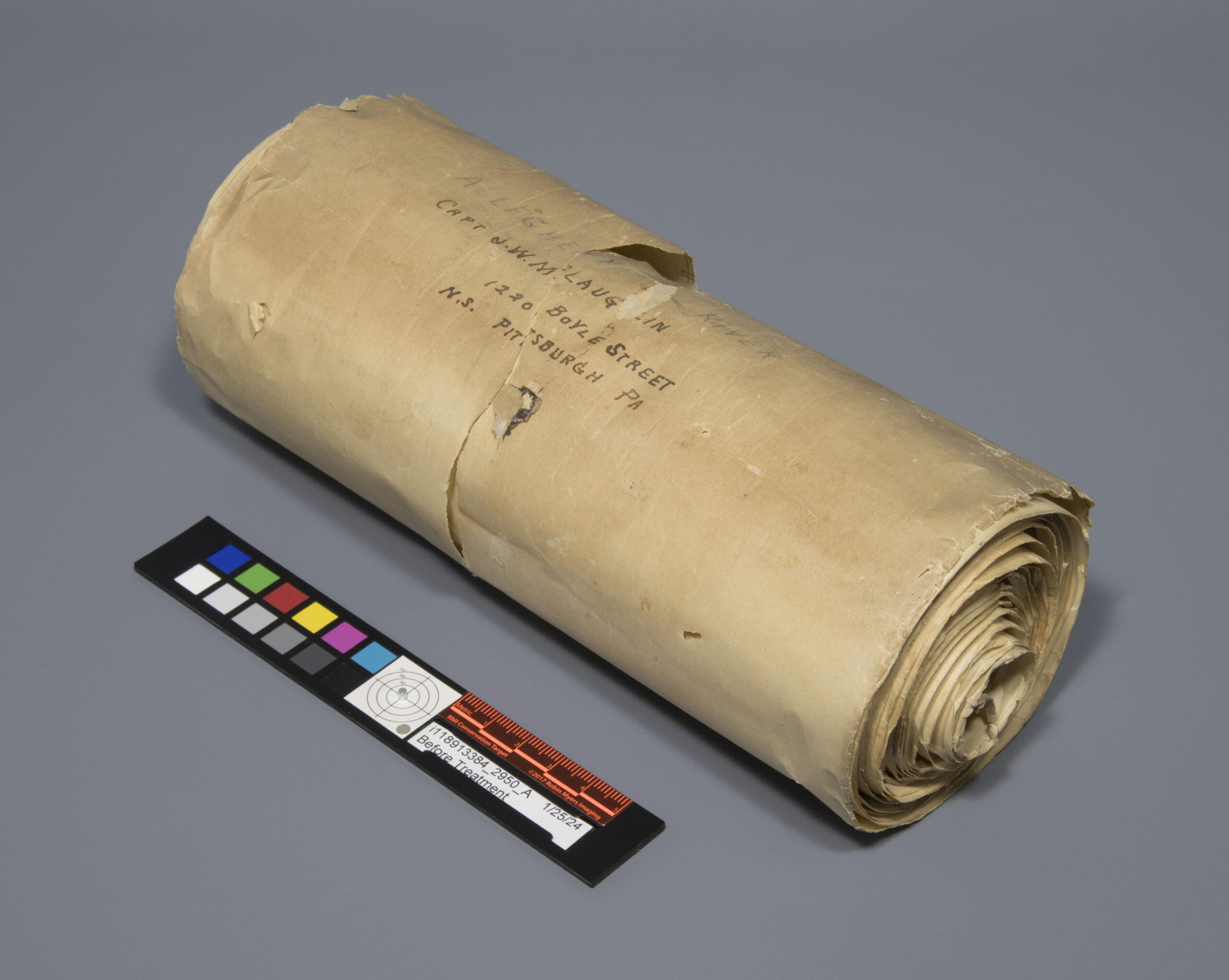
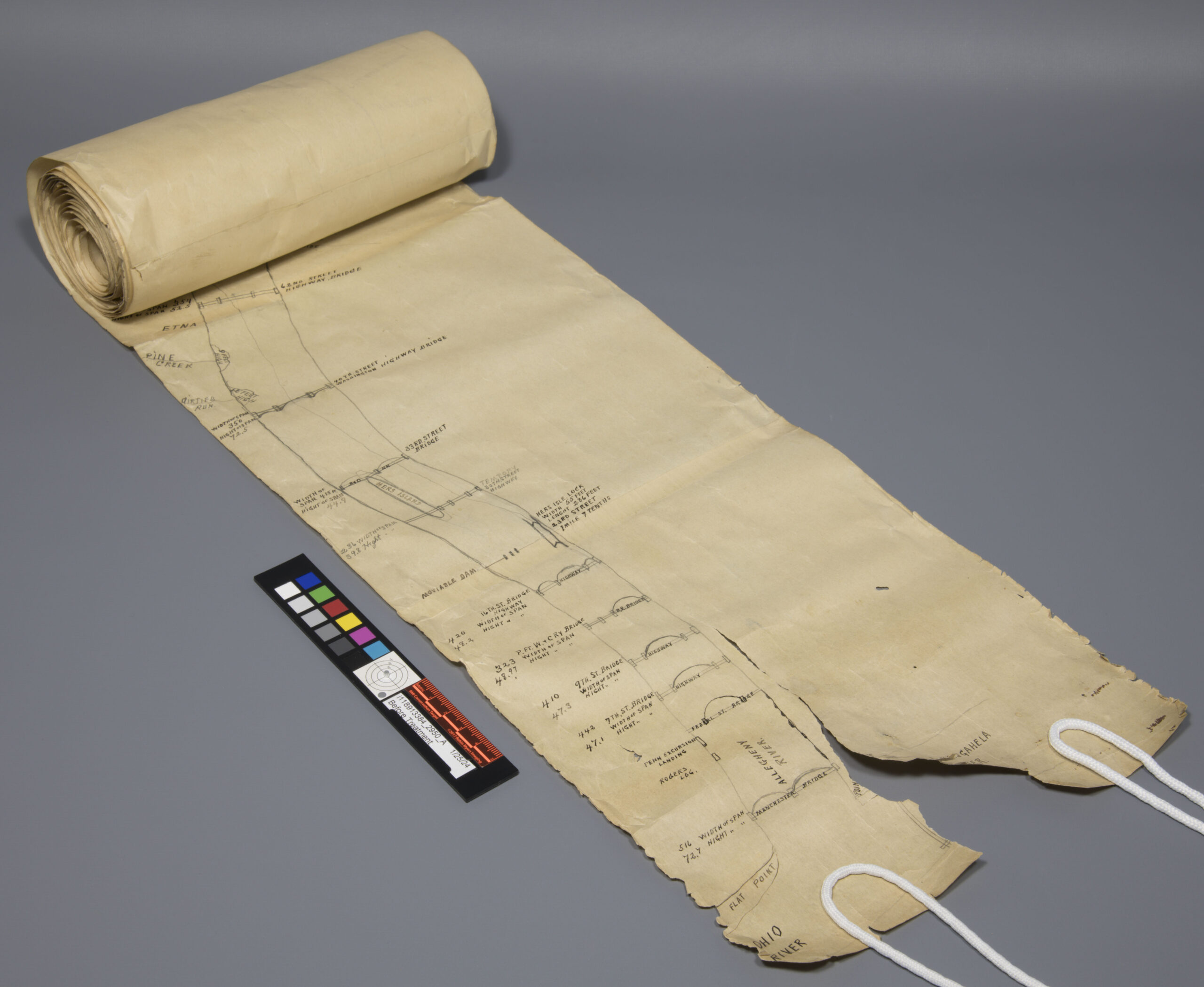
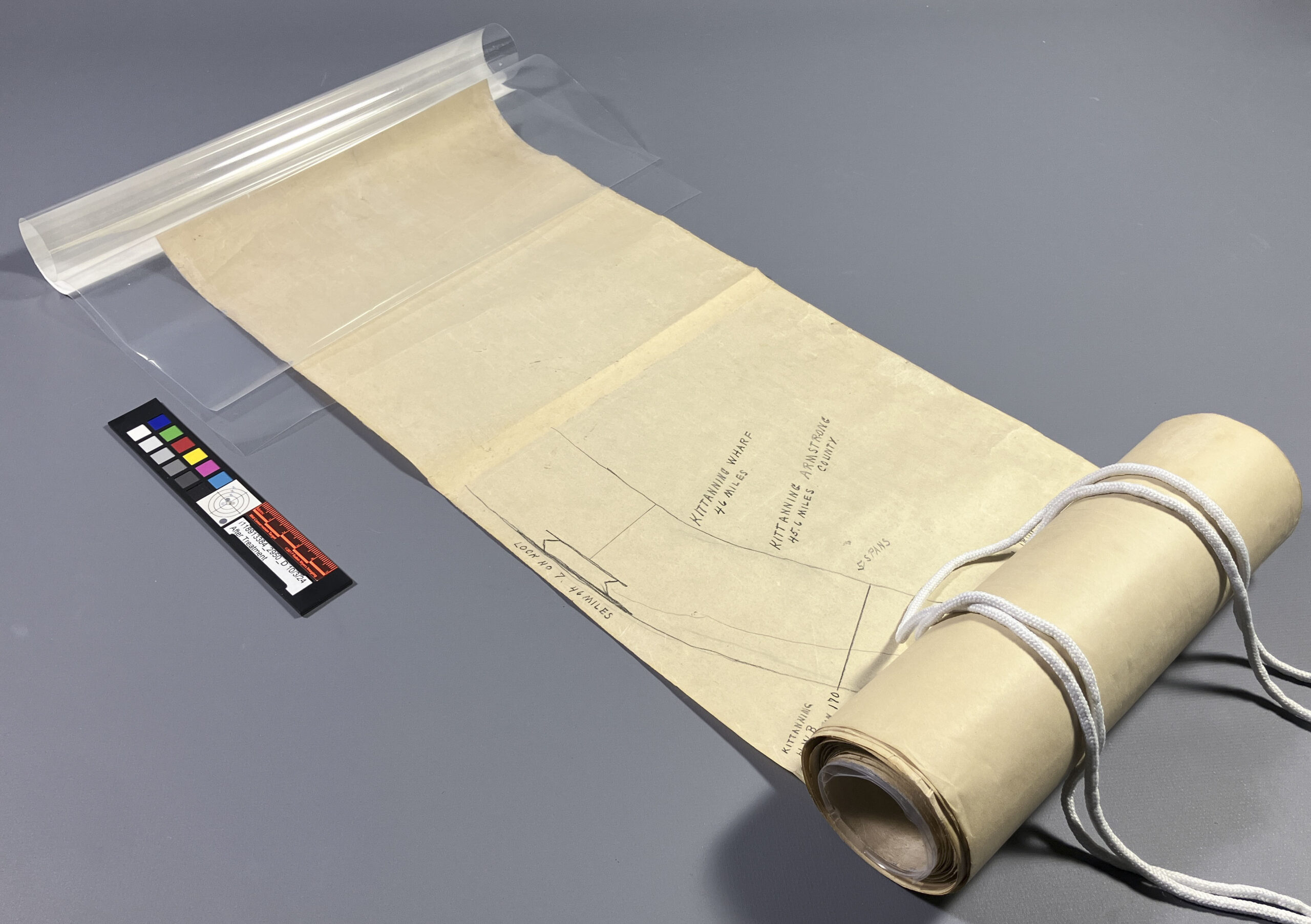
Back in October of 2024, we received something slightly more unusual from the Cincinnati and Hamilton County Public Library, a 15-foot-long, hand-drawn rolled map of the Allegheny River. Yes, fifteen feet. This map was created by joining smaller sheets edge-to-edge, forming one continuous scroll that looked more like a treasure map than your typical library item.
A dilemma quickly followed, how do I create a housing solution that’s safe and functional, but won’t turn future handling into a logistical nightmare? Like many libraries, they didn’t have a 15-foot shelf just waiting for this (because who does?), so storing it flat was out. Storing it rolled became our only real option. The enclosure needed to be secure and protective for the map, and ideally, easy and elegant to display when needed.
First things first, some stabilization treatment. Before tackling the housing design, the scroll underwent conservation treatment to mend small tears and fill losses, particularly at the “beginning” and “end” (depending on which direction you follow the river). Once stabilized, it was ready for some housing trials.
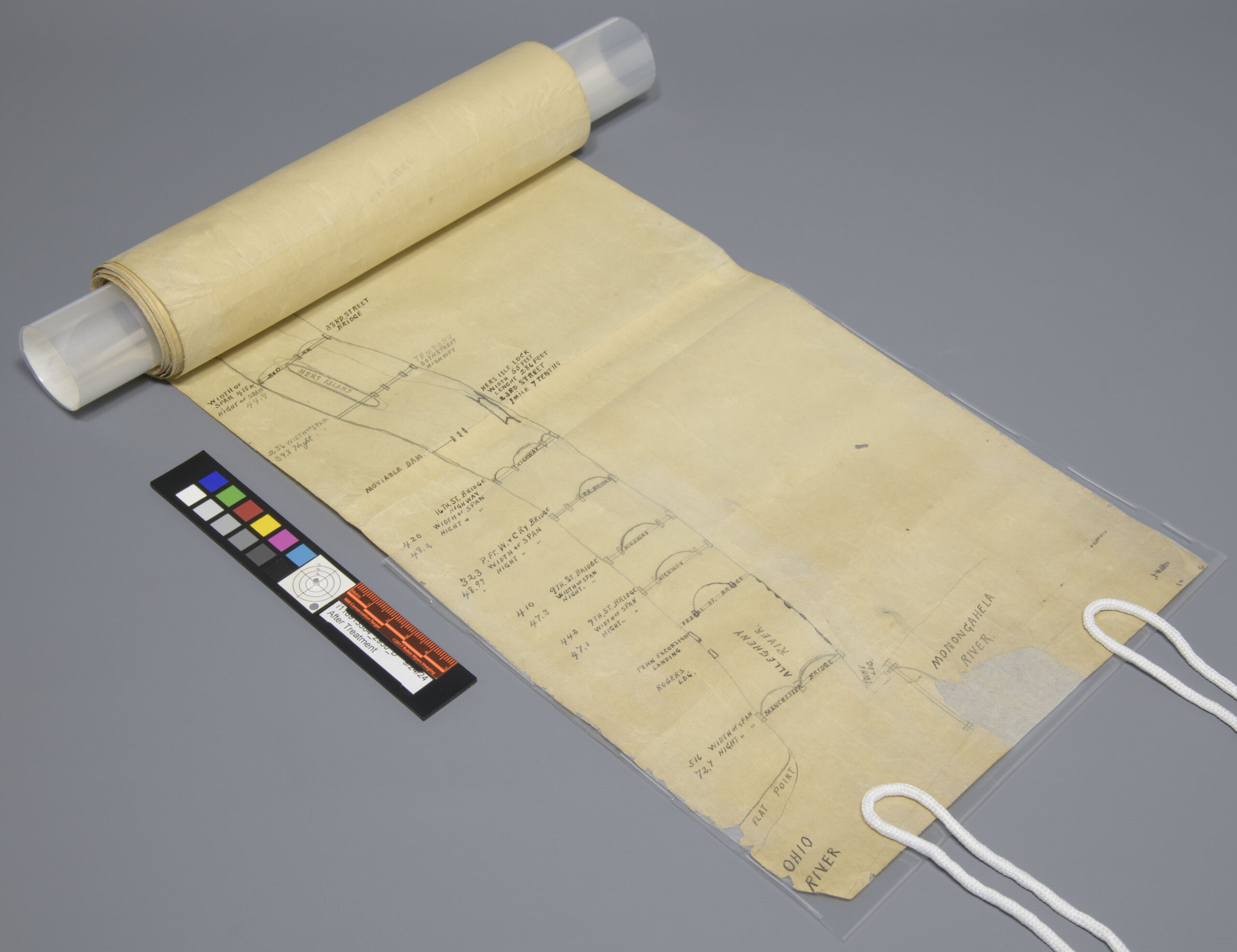
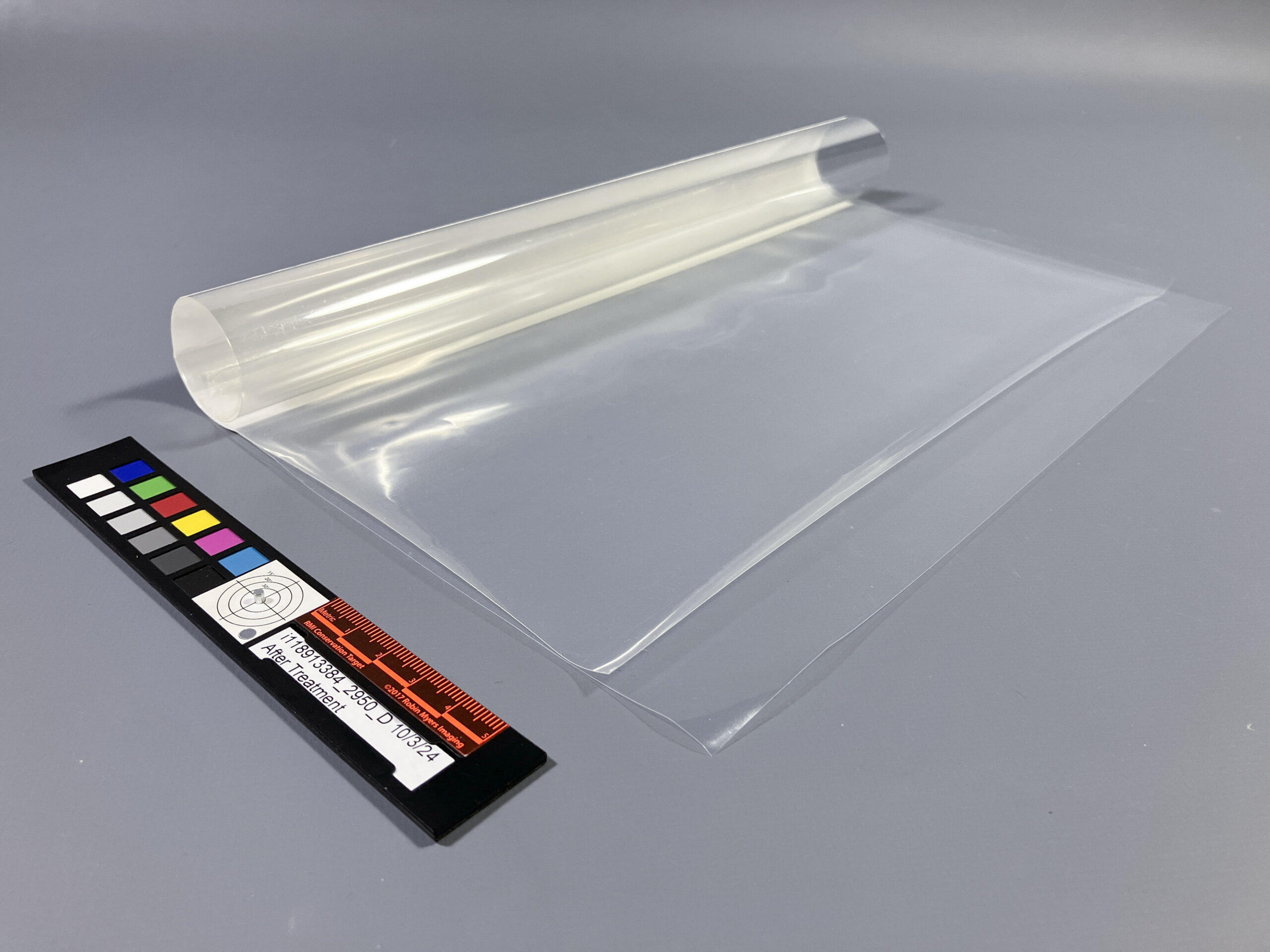
Before Treatment – Large loss and tear at one end.After Treatment – Large loss repaired and map rolled around the polyester cylinder core.
While researching solutions online, I stumbled upon a fantastic blog post by J.M. Iacchei from the Cornell University Library Conservation Lab (link here). Their approach to scroll housing was clever, practical and elegant, and it just gave me the spark I needed to create our own version.
Here is how we rolled:
A support core – To give the scroll structure while rolling, I created a polyester cylinder core with a polyethylene sling. The sling supports one end of the scroll as it begins to wrap around the core, providing gentle guidance and protection as you start to roll the map. The map can be easily inserted into the sling to begin rolling.
Polyester cylinder core with a polyethylene sling to secure one end of the map.The end can be easily inserted into the sling and supported as the map is rolled around the polyester core.
Protection of the ends – The opposite end of the scroll was placed into a soft, transparent polyethylene pocket. It’s flexible, unobtrusive, and doesn’t need to be removed, even during after treatment photography.
The other end of the map is protected with a polyethylene pocket that is flexible and offers support to the fragile end of the map.
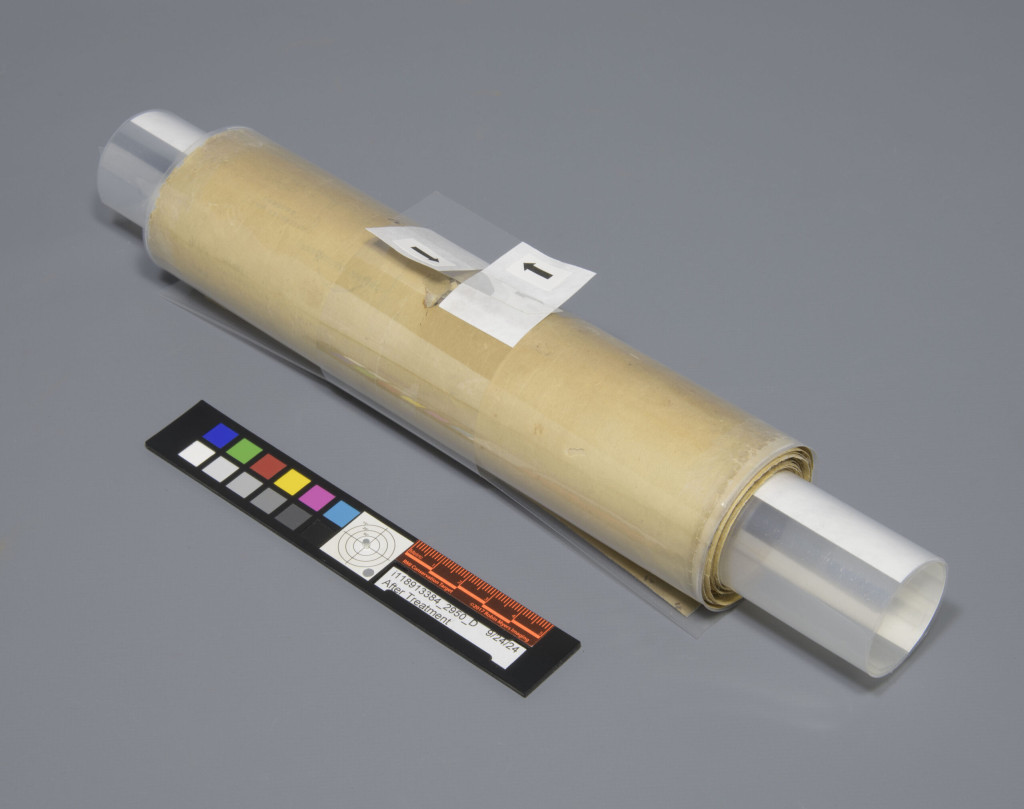
Keep it rolled – Once fully rolled, the scroll was secured with a polyester belly band. The polyethylene pocket helped protect the scroll surface from any abrasion caused by the belly band.
The rolled map is secured with a polyester belly band.
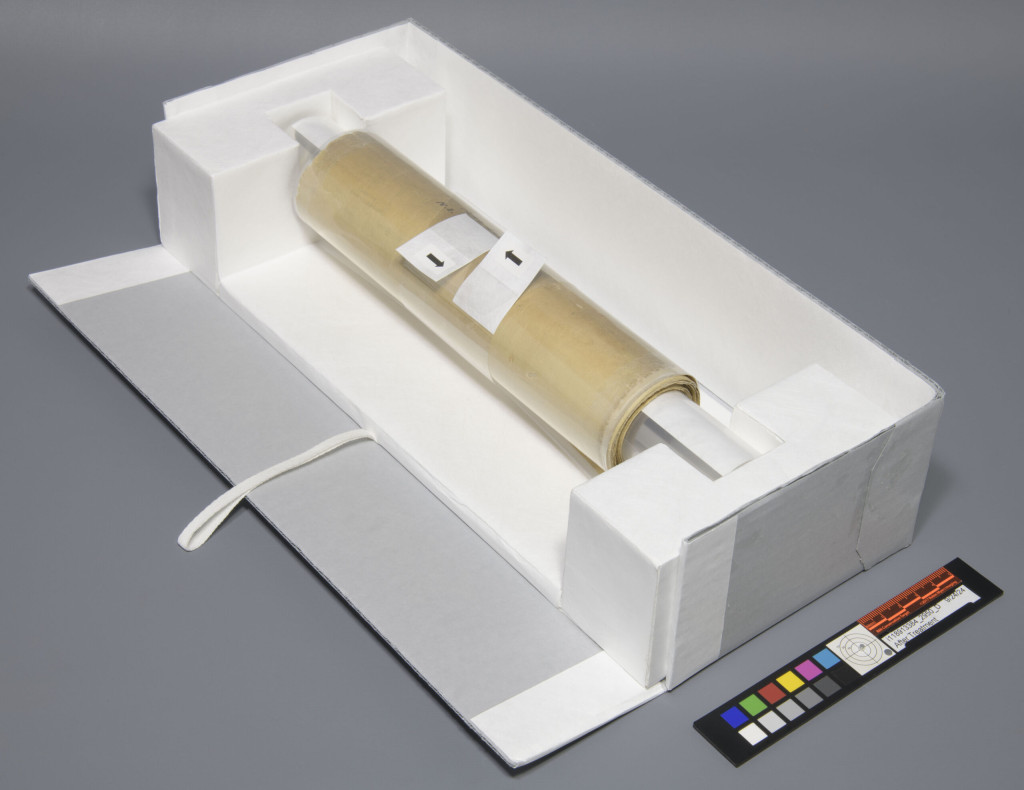
Display ready? – For display,I built a removable tray that cradles the rolled scroll without letting it rest directly on a surface. This tray doubles as a mini display platform, so the scroll can be partially unrolled and supported during handling and exhibit. Functional and elegant.
Display tray that offers support to the rolled map for long term storage.
I also tested a few other methods along the way, like supporting the entire scroll in a single 15-foot polyester sheet or sandwiching it between two. But the seams where the map’s original sheets were joined caused additional creases with those solutions. In the end, supporting the scroll in its entirety just wasn’t viable, so I pivoted to protecting the ends and letting the core do the heavy lifting.
Also: cutting two 15-foot-long sheets of Mylar by hand? Let’s just say I don’t recommend it… and I definitely don’t miss it.
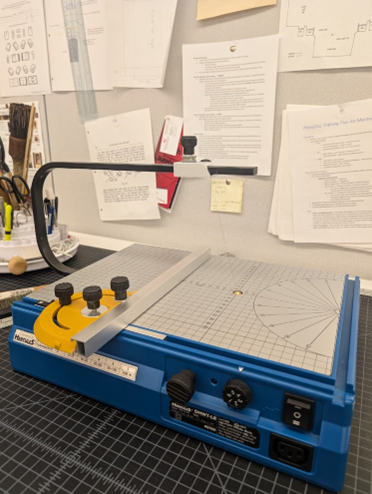
A housing treatment that I have recently taken on led me to getting some hands-on experience with one of the newer tools to arrive at the lab: The Hercules Cordless-Battery Operated Hot Wire Table from Hercules Cutters.
Figure 1: The Hercules Cordless-Battery Operated Hot Wire Table
The Difficulties of Cutting Foam
We have typically performed foam cutting at the lab using either a hand-held blade like an Olfa or scalpel, a board shear, or in some cases a hand-held saw. While these methods can be somewhat satisfactory, they are none without their limitations. Cuts with a hand-held blade often look sloppy, especially if the foam needs to be stacked; the compressible nature of foam makes it very difficult to make accurately measured cuts this way, and the inaccuracies become glaringly obvious when trying to stack multiple seemingly same sized pieces for thick fills inside an enclosure (something I often need to achieve!).
Figure 2: The minor inaccuracies of hand-cut foam become obvious when the pieces are stacked. Notice the unevenness along the edge of this stack of Plastazote foam. Plastazote, as well as a thinner foam called Volara, are among the most commonly used foams we utilize at The Preservation Lab.
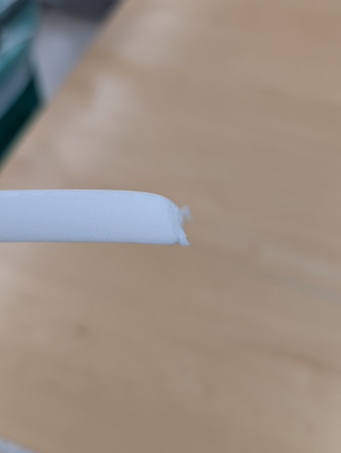
A board shear is quick and offers a measuring guide to provide accurately measured cuts, but the edges where the blade slices through the foam often end up rounded or otherwise distorted.
Figure 3: The downward cutting motion of a board shear can often leave the edge of foam looking rounded or otherwise distorted, as can be seen on this piece of Plastazote.
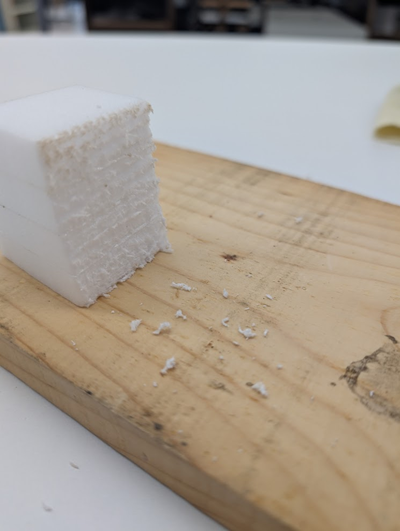
Finally, cuts with a saw can leave a mess and the teeth can leave a sloppy looking edge on the foam.
Figure 4: This stack of Plastazote was cut with a saw. A saw’s teeth can leave a very messy edge when cutting through foam.
The Hercules Foam Cutter: Basic Features and Operation
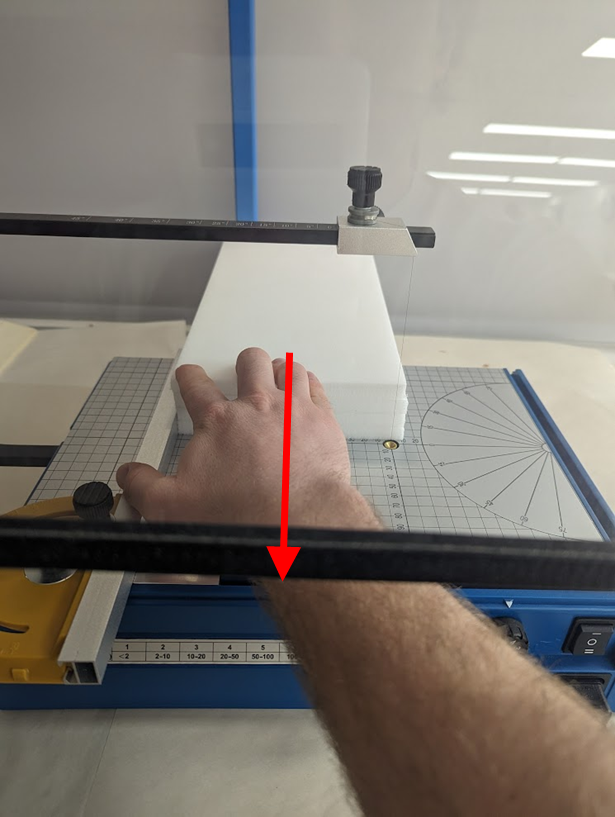
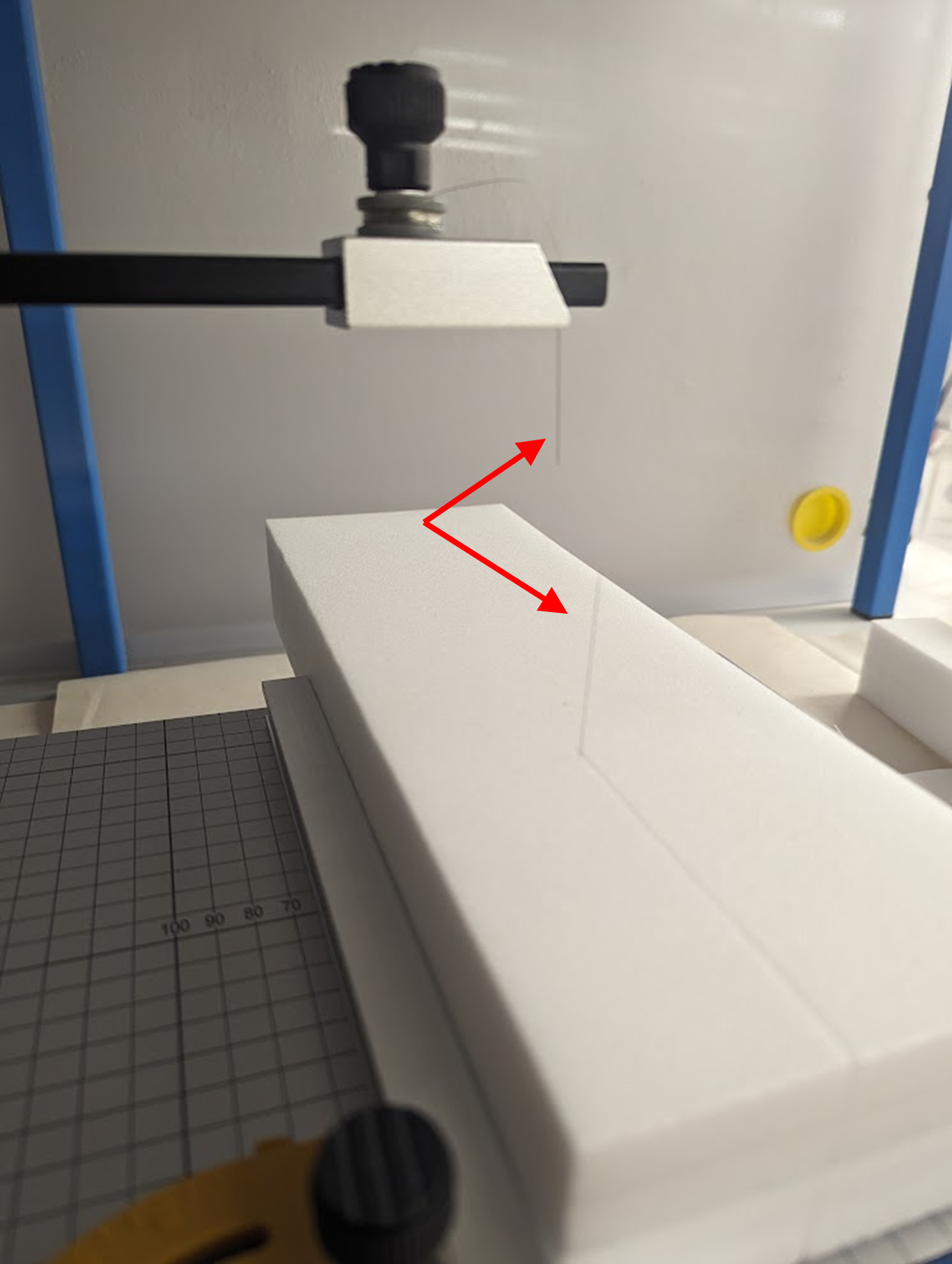
The Hercules foam cutter uses a different approach. It heats up a filament wire that is pulled taught vertically through the device. While the wire it hot, foam is drawn through the wire to accurately and cleanly (with a little practice) slice through it.
Figure 5: A stack of Plastazote is pulled through the hot filament wire to make a clean cut.
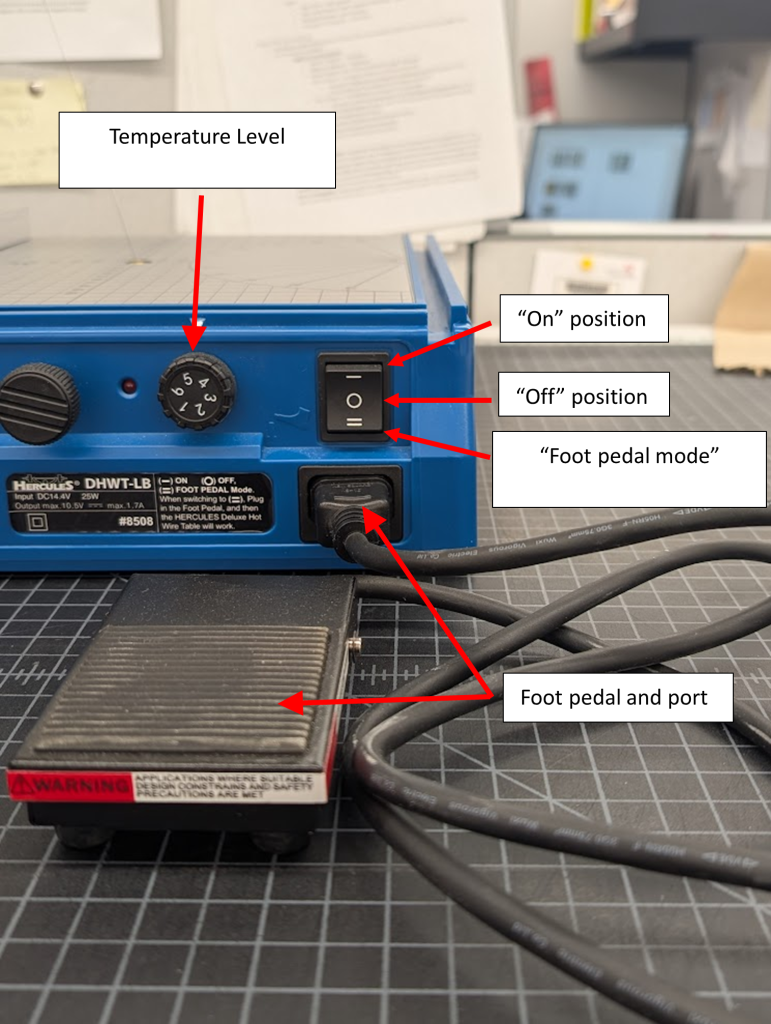
The heat can be engaged in one of two ways: with the power switch turned to “On” mode, the wire stays hot until it is turned off; when the switch is set to “Foot pedal mode”, the wire only heats up while the included foot pedal is pressed. There is an adjustment knob allowing the user to control the temperature of the wire. In general, after experimenting a bit it seems that the thicker the foam, the hotter the wire needs to be.
Figure 6: The Hercules Cutter’s heat controls.
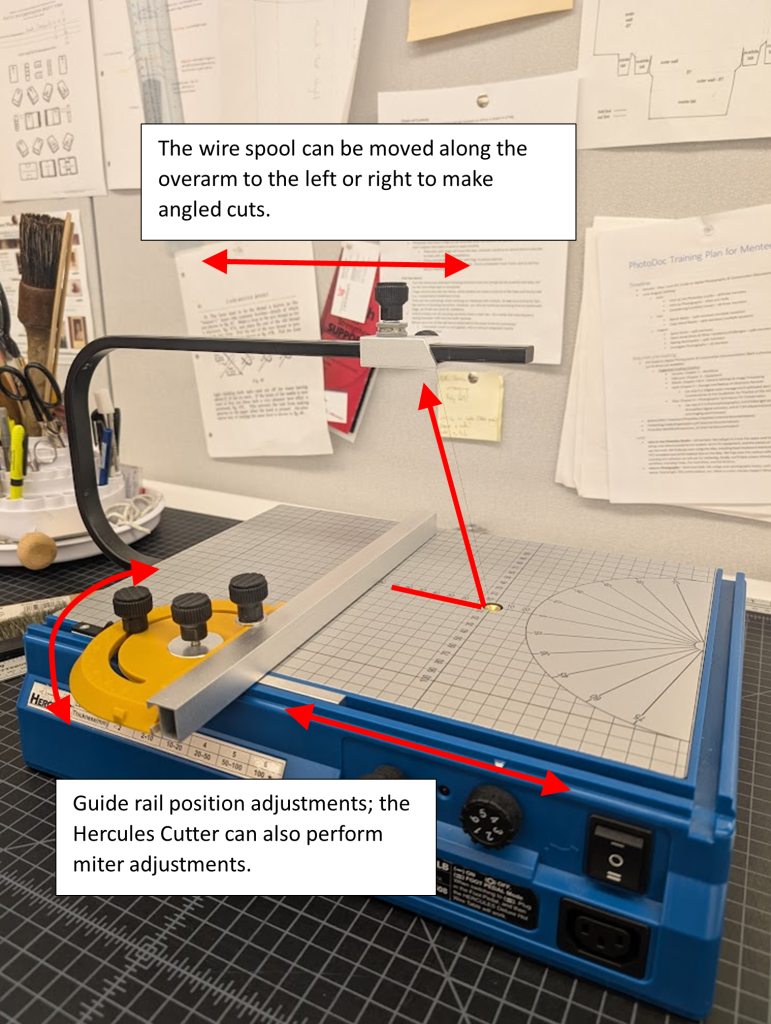
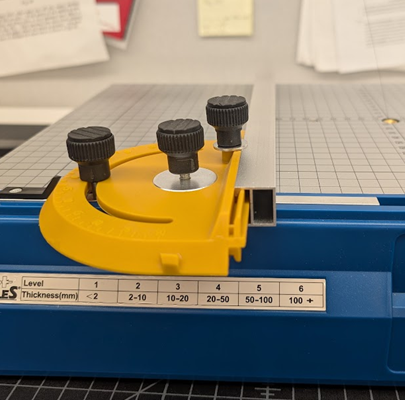
The cutter includes an adjustable guide rail to aid in accurate cutting. The position of the spool that holds the wire is also adjustable, allowing for angled cuts to be made.
Figure 7: Cutting position adjustments of the Hercules Cutter.
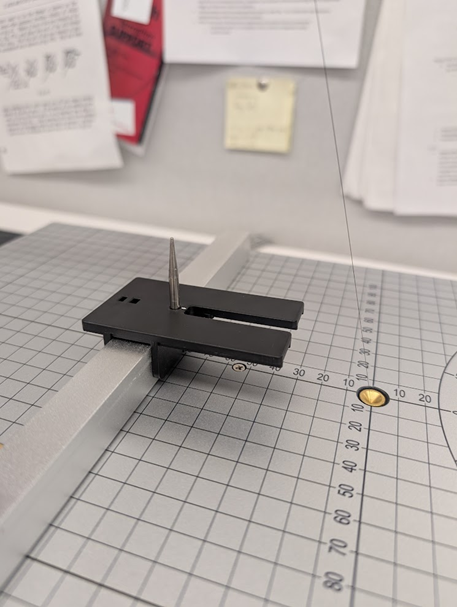
Finally, there is an attachment that can be placed onto the guide rail allowing for circular cuts to be made.
Figure 8: The circle cutting attachment: the foam piece is impaled by the point of the attachment at the center point of the desired circle. The distance from the point to the wire will be the circles radius. Once the attachment is in position for the desired size of circle, the foam piece is rotated as the wire cuts through the foam until a complete circle is made.
Advantages
The Hercules Foam Cutter’s ability to cut stacked pieces of foam is by far my favorite and the most practical of its uses in my opinion. As previously mentioned, cutting inaccuracies become very noticeable when trying to stack multiple same sized pre-cut pieces of foam. With the Hercules Cutter, the foam pieces can be stacked/attached to each other before hand, and then cut to a uniform size. I was pleased to discover that the heated wire doesn’t seem to have any trouble cutting through multiple layers of foam that have been adhered together using double-sided tape and/or PVA. With a bit of practice, I was able to achieve neat, uniform chunks of foam that were several layers thick. I have found, however, that when cutting foam adhered together using double sided tape it is important to be mindful of where your points of adhesion are inside the stack of foam. It is possible to end up with a stack of foam that doesn’t have any tape holding it together after cutting.
Figure 9: A cleanly cut chunk of Plastazote 4 layers thick. Notice that the section that was cut off has fallen apart due to not having any double-sided tape in this section. Fortunately, this is not the piece I needed from this cut!
Also remember that the thicker the foam, the hotter the wire needs to be. There is a decal attached to the cutter with heat setting recommendations based on how thick the foam is, but the instructions (and also myself) recommend doing a few test cuts with scrap foam first to see what works, as different types of foam will respond differently to various heat settings. It shouldn’t require much pressure from the user to push the foam piece through the wire, and too much pressure will cause the wire to bend or even break; if this happens, the wire isn’t hot enough!
Figure 10: It is difficult to see as the wire is so thin, but it has snapped. The wire wasn’t hot enough and I had to apply too much pressure to pass this stack of Plastazote through it. Fortunately, there was plenty of wire remaining on the spool, and it was easily threaded back into its port.
I found the foot pedal to be a beneficial feature as well. Some types of cuts require the user to adjust their hand position mid-cut, and it is helpful to have the option to stop the flow of heat into the wire if such an adjustment needs to be made. The wire both heats and cools down almost instantaneously, which is also a nice touch.
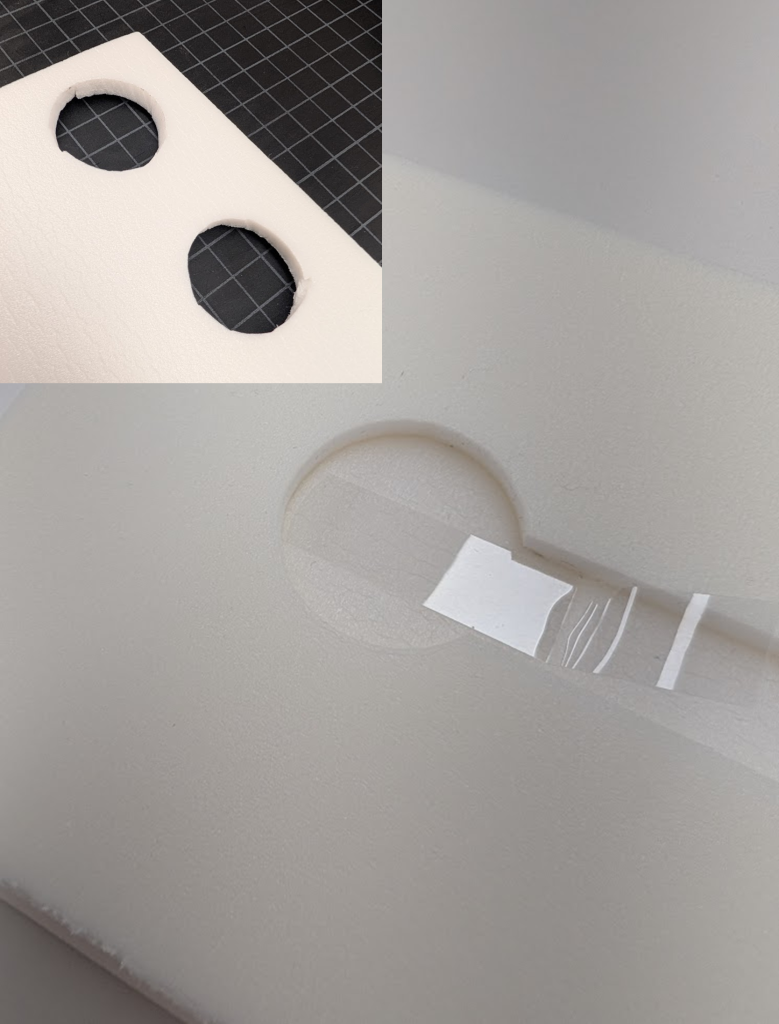
Finally, the circle cutting attachment proved to be useful during a recent housing treatment. I needed to create a compartment in a piece of foam to store a commemorative medallion, and my attempts to cut a circle using a hand-held blade did not look good. I was very pleased with the results I achieved using the attachment, although it took several attempts to get my circle to have the correct diameter.
Figure 11: A circle cut into Volara foam using the circle cutting attachment with my previous attempts to make the cut by hand using a scalpal in the corner of the image.
Drawbacks
It should be noted that many components of the Hercules Cutter are made of plastic. While this makes it lightweight and portable, it causes some problems. The guide rail feels rather cheap, and even with all the screws secured tightly, the rail still has the potential to wiggle around a bit. This can make getting accurate cuts difficult. I did find that cuts still look better using the rail than doing them free hand, though.
Figure 12: Most of the components of the adjustable guide rail are made of plastic, giving them the potential to move slightly during use, even when tightly screwed down.
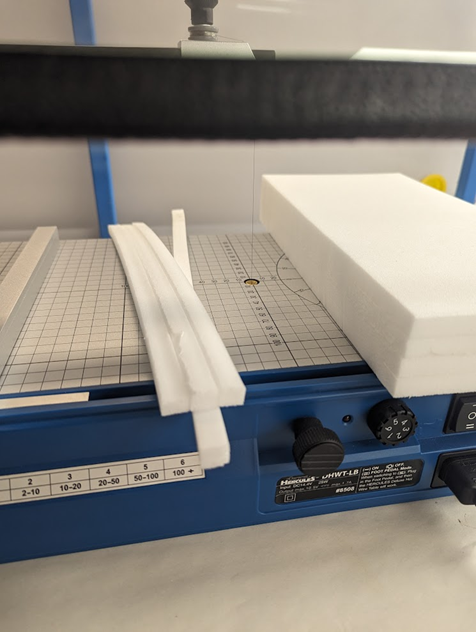
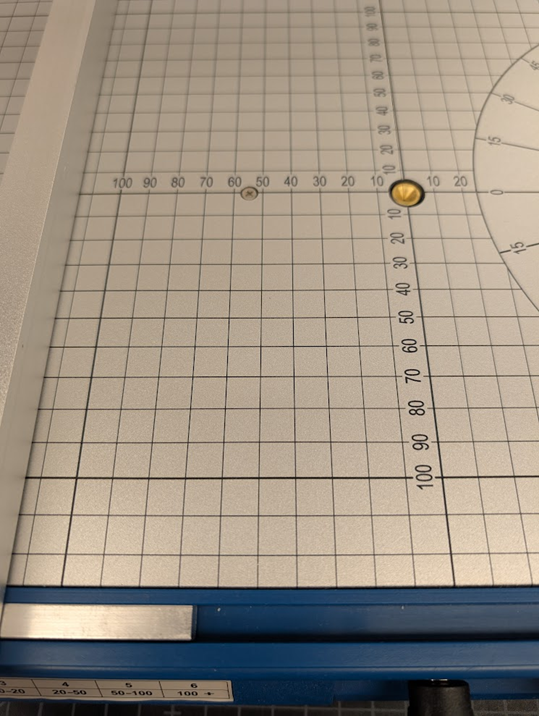
Another issue I had with the cutter lies in its cutting platform. There is centimeter grid on it for measuring/setting the guide rail which is a nice idea; however, I feel it would have been much more helpful to have millimeters indicated somewhere like board shears often do, as precision cuts rarely fall exactly on nice round centimeter measurements. The user is forced into one of three solutions: 1) measuring the foam and adding a tick mark to it, which is not as easy and one would think as foam isn’t very easy to make discreet marks in; 2) using a ruler or other measuring device to set the guide rail, which defeats the purpose of the cutting surface containing a measuring grid to begin with; 3) eyeballing the correct measurement between the grid marks. This parred with the already wobbly nature of the guide rail makes it somewhat challenging to make precision cuts.
Figure 13: Although the numbers represent millimeters, the grid lines on the cutting platform appear only every centimeter.
Finally, as the Hercules Cutter operates through a wire essentially melting foam, it can produce a somewhat unpleasant burnt-plastic smell while in use. It is recommended to use under a fume hood, outside, or in another well-ventilated area if possible.
Final Thoughts
As with all other methods of cutting foam, the Hercules Foam Cutter is not perfect. For making simple cuts in a single layer of foam, I still find using a board shear to be my preferred method; it is quick, easy, and the rounded edges left by the blade don’t bother me much if it is only a single layer of foam. However, the Hercules Cutter has become the default tool I use to cut stacked foam and to make circular cuts. It has been a fun tool to test out, and it is always possible that more practical uses for it will arise as I continue to make more custom and specialized enclosures.
Matt McCoy — Senior Library Conservation Specialist
The Preservation Lab at UC Blog uses Accessibility Checker to monitor our website's accessibility.